1
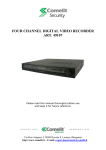
Digital Video Recorder art. MDVR825B/MDVR808B/49816
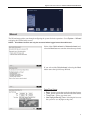
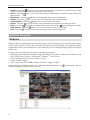
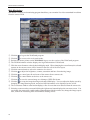
While in the live monitoring mode, pressing the MENU button displays the following Live Monitoring menu
at the top of the screen. Pressing the MENU button again hides the menu. You can navigate through menus
and items by pressing the arrow buttons.
Freeze
Sequence
Camera Menu
Alarm
Panic
Setup
Search Mode
Login/Logout
y Freeze: Selecting
will freeze the current image on the screen until you select
again.
causes the cameras to display sequentially, and selecting
again exits the
y Sequence: Selecting
Sequence mode.
y Camera Menu: Selecting allows you to control PTZ, Zoom, Audio, Color Control and Spot Monitor.
resets the DVR’s outputs including the internal buzzer during an alarm.
y Alarm: Selecting
y Panic: Selecting starts panic recording of all cameras, and selecting again stops panic recording.
enters the Main Setup screen.
y Setup: Selecting
exits the live monitoring mode and enters the search mode.
y Search Mode: Selecting
(Login) accesses the Login screen, and you will be asked to select a User
y Login/Logout: Selecting
and enter the password to log into the system. Selecting (Logout) menu displays the Logout screen
asking you to confirm whether or not you want to log out the current user.
Searching Video
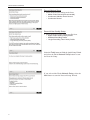
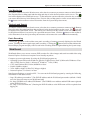
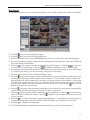
While in the search mode, pressing the MENU button displays the following Search menu at the top of the
screen. Pressing the MENU button again hides the menu. You can navigate through menus and items by
pressing the arrow buttons.
Search
Go To
Bookmark
Export
Camera Menu
Alarm
Panic
Data Source
Exit
7