1
6.5
Event Log Errors
This section covers entries written to the Event Log. You can view
the Event Log from the Event Viewer located in the Administrative
Tools folder on the Start Menu, located under Programs.
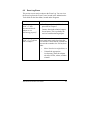
Problem
Solution
Event Log reports
"SLIC<x> Has
determined that the
adapter is not
functioning properly"
Run Diagnostics from NCPA. See the
procedure in Chapter 3.
Contact Alacritech technical support
for assistance. This is probably the
result of a malfunctioning adapter.
Event Log reports
"SLIC<x>: Could not
find an adapter"
On Windows machines, network cards
must remain in the same slot where they
were installed. Check that the card has not
been moved to another slot. If it has, then
either:
Move it back to its original slot, or
Uninstall the appropriate
Accelerator(s) from the adapters
tab of the NCPA, reboot, and then
reinstall.
Alacritech Accelerator Users Guide
6-3