1
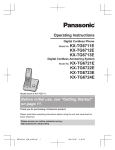
Operating Instructions
Digital Cordless Phone
Model No.
KX-TG6711NZ
KX-TG6712NZ
Digital Cordless Answering System
Model No.
KX-TG6721NZ
KX-TG6722NZ
Model shown is KX-TG6711.
Before initial use, see “Getting Started”
on page 10.
Thank you for purchasing a Panasonic product.
Please read these operating instructions before using the unit and save them for
future reference.
Please access our online customer survey:
http://panasonic.net/pcc/tel/q
TG6711_21NZ(en)_0216_ver011.pdf
1
2012/02/17
15:48:56
Table of Contents
Introduction
Model composition .......................................3
Accessory information ..................................4
Important Information
For your safety .............................................6
Important safety instructions ........................7
For best performance ...................................8
Other information .........................................8
Specifications ...............................................9
Getting Started
Setting up ...................................................10
Note when setting up .................................11
Controls ......................................................12
Display .......................................................13
Turning the power on/off ............................15
Initial settings .............................................15
Smart function key (Top Key) .....................15
One touch eco mode ..................................16
Wall mounting ............................................16
Listening to messages using the
handset ......................................................36
Remote operation .......................................37
Answering system settings .........................39
Voice Mail Service
Voice mail service ......................................40
Intercom/Locator
Intercom .....................................................41
Handset locator ..........................................41
Transferring calls, conference calls ............41
Useful Information
Character entry ..........................................42
Error messages ..........................................44
Troubleshooting .........................................45
Warranty .....................................................49
Index
Index...........................................................50
Making/Answering Calls
Making calls ...............................................18
Answering calls ..........................................18
Useful features during a call .......................19
Key lock ......................................................20
Power back-up operation ...........................20
Phonebook
Handset phonebook ...................................22
Copying phonebook entries .......................23
Programming
Programmable settings ..............................24
Special programming .................................28
Registering a unit .......................................31
Caller ID Service
Using Caller ID service ...............................33
Caller list ....................................................33
Answering System
Answering system ......................................35
Turning the answering system on/
off ...............................................................35
Greeting message ......................................36
Listening to messages using the base
unit .............................................................36
2
TG6711_21NZ(en)_0216_ver011.pdf
2
2012/02/17
15:48:56
Introduction
Model composition
Base unit
Handset
Part No.
Part No.
KX-TG6711
KX-TG6711
KX-TGA671
1
KX-TG6712
KX-TG6711
KX-TGA671
2
KX-TG6721
KX-TG6721
KX-TGA671
1
KX-TG6722
KX-TG6721
KX-TGA671
2
Series
Model No.
KX-TG6711
series
KX-TG6721
series
Quantity
R The suffix (NZ) in the following model numbers will be omitted in these instructions:
KX-TG6711NZ/KX-TG6712NZ/KX-TG6721NZ/KX-TG6722NZ
Feature differences
Series
Answering system
Intercom
Between handsets
KX-TG6711 series
–
U*1
KX-TG6721 series
U
U*1
*1
Single handset models: Intercom calls can be made between handsets by purchasing and
registering one or more optional handsets (page 5).
3
TG6711_21NZ(en)_0216_ver011.pdf
3
2012/02/17
15:48:56
Introduction
Accessory information
Supplied accessories
No.
No.
Quantity
Accessory item/Part number
KX-TG6711
KX-TG6721
KX-TG6712
KX-TG6722
A
AC adaptor/PNLV226AL
1
2
B
Telephone line cord
1
1
C
Rechargeable batteries*1
2
4
D
Handset cover*2
1
2
E
Charger
–
1
*1
*2
See page 4 for replacement battery information.
The handset cover comes attached to the handset.
A
B
C
D
E
Additional/replacement accessories
Please contact your nearest Panasonic dealer for sales information.
Accessory item
Model number
Rechargeable
batteries
HHR-4MVT or HHR-4MRT*1
DECT repeater
KX-A405
*1
Battery type:
– Nickel metal hydride (Ni-MH)
– 2 x AAA (R03) size for each handset
Replacement batteries may have a different capacity from that of the supplied batteries.
4
TG6711_21NZ(en)_0216_ver011.pdf
4
2012/02/17
15:48:56
Introduction
Expanding your phone system
Handset (optional): KX-TGA671AZ
You can expand your phone system by
registering optional handsets (6 max.) to a
single base unit.
R Optional handsets may be a different
colour from that of the supplied handsets.
5
TG6711_21NZ(en)_0216_ver011.pdf
5
2012/02/17
15:48:56
Important Information
R Do not allow the AC adaptor or telephone
line cord to be excessively pulled, bent or
placed under heavy objects.
For your safety
To prevent severe injury and loss of life/
property, read this section carefully before
using the product to ensure proper and safe
operation of your product.
WARNING
Power connection
R Use only the power source marked on the
product.
R Do not overload power outlets and
extension cords. This can result in the risk
of fire or electric shock.
R Completely insert the AC adaptor/power
plug into the power outlet. Failure to do so
may cause electric shock and/or excessive
heat resulting in a fire.
R Regularly remove any dust, etc. from the
AC adaptor/power plug by pulling it from
the power outlet, then wiping with a dry
cloth. Accumulated dust may cause an
insulation defect from moisture, etc.
resulting in a fire.
R Unplug the product from power outlets if it
emits smoke, an abnormal smell, or makes
an unusual noise. These conditions can
cause fire or electric shock. Confirm that
smoke has stopped emitting and contact an
authorised service centre.
R Unplug from power outlets and never touch
the inside of the product if its casing has
been broken open.
R Never touch the plug with wet hands.
Danger of electric shock exists.
Installation
R To prevent the risk of fire or electrical
shock, do not expose the product to rain or
any type of moisture.
R Do not place or use this product near
automatically controlled devices such as
automatic doors and fire alarms. Radio
waves emitted from this product may cause
such devices to malfunction resulting in an
accident.
Operating safeguards
R Unplug the product from power outlets
before cleaning. Do not use liquid or
aerosol cleaners.
R Do not disassemble the product.
R Do not spill liquids (detergents, cleansers,
etc.) onto the telephone line cord plug, or
allow it to become wet at all. This may
cause a fire. If the telephone line cord plug
becomes wet, immediately pull it from the
telephone wall socket, and do not use.
Medical
R Consult the manufacturer of any personal
medical devices, such as pacemakers or
hearing aids, to determine if they are
adequately shielded from external RF
(radio frequency) energy. (The product
operates in the frequency range of
1.88 GHz to 1.90 GHz, and the RF
transmission power is 250 mW (max.).)
R Do not use the product in health care
facilities if any regulations posted in the
area instruct you not to do so. Hospitals or
health care facilities may be using
equipment that could be sensitive to
external RF energy.
CAUTION
Installation and location
R Never install telephone wiring during an
electrical storm.
R Never install telephone line sockets in wet
locations unless the socket is specifically
designed for wet locations.
R Never touch uninsulated telephone wires or
terminals unless the telephone line has
been disconnected at the network interface.
R Use caution when installing or modifying
telephone lines.
R The AC adaptor is used as the main
disconnect device. Ensure that the AC
outlet is installed near the product and is
easily accessible.
R This product is unable to make calls when:
6
TG6711_21NZ(en)_0216_ver011.pdf
6
2012/02/17
15:48:56
Important Information
– the handset batteries need recharging or
have failed.
– there is a power failure.
– the key lock feature is turned on.
Battery
R We recommend using the batteries noted
on page 4. USE ONLY rechargeable
Ni-MH batteries AAA (R03) size.
R Do not mix old and new batteries.
R Do not open or mutilate the batteries.
Released electrolyte from the batteries is
corrosive and may cause burns or injury to
the eyes or skin. The electrolyte is toxic and
may be harmful if swallowed.
R Exercise care when handling the batteries.
Do not allow conductive materials such as
rings, bracelets, or keys to touch the
batteries, otherwise a short circuit may
cause the batteries and/or the conductive
material to overheat and cause burns.
R Charge the batteries provided with or
identified for use with this product only, in
accordance with the instructions and
limitations specified in this manual.
R Only use a compatible base unit (or
charger) to charge the batteries. Do not
tamper with the base unit (or charger).
Failure to follow these instructions may
cause the batteries to swell or explode.
General notices
R This equipment will be inoperable when
mains power fails.
R When a failure occurs which results in the
internal parts becoming accessible,
disconnect the power supply cord
immediately and return this unit to an
authorised service centre.
R Disconnect the telecom connection before
disconnecting the power connection prior to
relocating the equipment, and reconnect
the power first.
R No “111” or other calls can be made from
this device during a mains power failure.
R This equipment shall not be set to make
automatic calls to the Telecom “111”
Emergency Service.
R To minimise the possibility of lightning
damage, when you know that a
thunderstorm is coming, we recommend
that you:
– Unplug the telephone line cord from the
phone socket.
– Unplug the AC adaptor from the AC
power outlet.
R The earpiece on the handset is magnetised
and may retain small metallic objects.
R The unit’s answering system only responds
to Distinctive Alert cadence(s) DA1 and
DA3.
R Not all telephones will respond to incoming
ringing when connected to the extension
socket.
R This equipment may not provide for the
effective hand-over of a call to another
device connected to the same line.
R The grant of a Telepermit for any item of
terminal equipment indicates only that
Telecom has accepted that the item
complies with minimum conditions for
connection to its network. It indicates no
endorsement of the product by Telecom,
nor does it provide any sort of warranty.
Above all, it provides no assurance that any
item will work correctly in all respects with
another item of Telepermitted equipment of
a different make or model, nor does it imply
that any product is compatible with all of
Telecom’s network services.
Important notice:
R Under power failure conditions, this
telephone may not operate. Please ensure
that a separate telephone, not dependent
on local power, is available for emergency
use.
Important safety
instructions
When using your product, basic safety
precautions should always be followed to
reduce the risk of fire, electric shock, and
injury to persons, including the following:
1. Do not use this product near water for
example, near a bathtub, washbowl,
kitchen sink, or laundry tub, in a wet
basement or near a swimming pool.
2. Avoid using a telephone (other than a
cordless type) during an electrical storm.
7
TG6711_21NZ(en)_0216_ver011.pdf
7
2012/02/17
15:48:56
Important Information
There may be a remote risk of electric
shock from lightning.
3. Do not use the telephone to report a gas
leak in the vicinity of the leak.
4. Use only the power cord and batteries
indicated in this manual. Do not dispose of
batteries in a fire. They may explode.
Check with local codes for possible special
disposal instructions.
SAVE THESE INSTRUCTIONS
For best performance
Base unit location/avoiding noise
The base unit and other compatible Panasonic
units use radio waves to communicate with
each other.
R For maximum coverage and noise-free
communications, place your base unit:
– at a convenient, high, and central
location with no obstructions between
the handset and base unit in an indoor
environment.
– away from electronic appliances such as
TVs, radios, personal computers,
wireless devices, or other phones.
– facing away from radio frequency
transmitters, such as external antennas
of mobile phone cell stations. (Avoid
putting the base unit on a bay window or
near a window.)
R Coverage and voice quality depends on the
local environmental conditions.
R If the reception for a base unit location is
not satisfactory, move the base unit to
another location for better reception.
Environment
R Keep the product away from electrical noise
generating devices, such as fluorescent
lamps and motors.
R The product should be kept free from
excessive smoke, dust, high temperature,
and vibration.
R The product should not be exposed to
direct sunlight.
R Do not place heavy objects on top of the
product.
R When you leave the product unused for a
long period of time, unplug the product from
the power outlet.
R The product should be kept away from heat
sources such as radiators, cookers, etc. It
should not be placed in rooms where the
temperature is less than 0 °C or greater
than 40 °C. Damp basements should also
be avoided.
R The maximum calling distance may be
shortened when the product is used in the
following places: Near obstacles such as
hills, tunnels, underground, near metal
objects such as wire fences, etc.
R Operating the product near electrical
appliances may cause interference. Move
away from the electrical appliances.
Routine care
R Wipe the outer surface of the product
with a soft moist cloth.
R Do not use benzine, thinner, or any
abrasive powder.
Other information
CAUTION: Risk of explosion if battery is
replaced by an incorrect type. Dispose of used
batteries according to the instructions.
Notice for product disposal, transfer,
or return
R This product can store your private/
confidential information. To protect your
privacy/confidentiality, we recommend that
you erase information such as phonebook
or caller list entries from the memory before
you dispose of, transfer, or return the
product.
8
TG6711_21NZ(en)_0216_ver011.pdf
8
2012/02/17
15:48:56
Important Information
Information on Disposal in other
Countries outside the European Union
These symbols are only valid in the European
Union. If you wish to discard these items,
please contact your local authorities or dealer
and ask for the correct method of disposal.
Specifications
R Standard:
GAP (Generic Access Profile)
R Frequency range:
1.88 GHz to 1.90 GHz
R RF transmission power:
Approx. 10 mW (average power per
channel)
R Power source:
220–240 V AC, 50/60 Hz
R Power consumption:
Base unit*1:
Standby: Approx. 0.38 W
Maximum: Approx. 2.4 W
Base unit*2:
Standby: Approx. 0.48 W
Maximum: Approx. 2.5 W
Charger:
Standby: Approx. 0.1 W
Maximum: Approx. 1.8 W
R Operating conditions:
0 °C–40 °C, 20 %–80 % relative air
humidity (dry)
*1 KX-TG6711 series: page 3
*2 KX-TG6721 series: page 3
Note:
R Design and specifications are subject to
change without notice.
R The illustrations in these instructions may
vary slightly from the actual product.
9
TG6711_21NZ(en)_0216_ver011.pdf
9
2012/02/17
15:48:56
Getting Started
Battery installation
Setting up
Connections
R Use only the supplied Panasonic AC
adaptor PNLV226AL.
R When mounting the unit on a wall, see
page 16.
R USE ONLY Ni-MH batteries AAA (R03)
size.
R Do NOT use Alkaline/Manganese/Ni-Cd
batteries.
R Confirm correct polarities ( ,
).
n Base unit
Press plug firmly.
“Click”
Rechargeable Ni-MH ONLY
Hook
To power outlet
Use only the supplied
telephone line cord.
To single-line
telephone socket
“Click”
DSL/ADSL filter*
Correct
Incorrect
R When the date and time setting is
displayed, see page 15.
Battery charging
Charge for about 7 hours.
R When the batteries are fully charged,
“Fully charged” is displayed.
Confirm “Charging” is displayed.
*DSL/ADSL filter (not supplied) is required if
you have DSL/ADSL service.
n Charger
Hooks
To power outlet
10
TG6711_21NZ(en)_0216_ver011.pdf
10
2012/02/17
15:48:56
Getting Started
Icon
Note when setting up
Note for connections
R The AC adaptor must remain connected at
all times. (It is normal for the adaptor to feel
warm during use.)
R The AC adaptor should be connected to a
vertically oriented or floor-mounted AC
outlet. Do not connect the AC adaptor to a
ceiling-mounted AC outlet, as the weight of
the adaptor may cause it to become
disconnected.
R The unit is not designed to be used with
rotary/pulse dialling services.
R The unit’s answering system will not
answer incoming calls on your FaxAbility
number. (KX-TG6721 series: page 3)
Note for battery installation
R Use the supplied rechargeable batteries.
For replacement, we recommend using the
Panasonic rechargeable batteries noted on
page 4, 7.
) with a dry
R Wipe the battery ends ( ,
cloth.
R Avoid touching the battery ends
) or the unit contacts.
( ,
Battery level
Needs charging.
Panasonic Ni-MH battery
performance (supplied batteries)
Operation
Operating time
In continuous use
15 hours max.
Not in use (standby)
170 hours max.
Note:
R It is normal for batteries not to reach full
capacity at the initial charge. Maximum
battery performance is reached after a few
complete cycles of charge/discharge (use).
R Actual battery performance depends on
usage and ambient environment.
R Even after the batteries are fully charged,
the handset can be left on the base unit or
charger without any ill effect on the
batteries.
R The battery level may not be displayed
correctly after you replace the batteries. In
this case, place the handset on the base
unit or charger and let it charge for at least
7 hours.
Note for battery charging
R It is normal for the handset to feel warm
during charging.
R Clean the charge contacts of the handset,
base unit, and charger with a soft and dry
cloth once a month. Before cleaning the
unit, disconnect from power outlets and any
telephone line cords. Clean more often if
the unit is exposed to grease, dust, or high
humidity.
Battery level
Icon
Battery level
High
Medium
Low
11
TG6711_21NZ(en)_0216_ver011.pdf
11
2012/02/17
15:48:56
Getting Started
Receiver
Controls
Display
Handset
R: Recall/Flash
MR/ECON
A
ECO: Eco mode shortcut key
M
G
N (Off/Power)
Microphone
Charge contacts
H
B
C
D
I
E
J
F
K
L
n Control type
Soft keys
The handset features 3 soft keys. By
pressing a soft key, you can select the
feature shown directly above it on the
display.
Navigator key
– MDN, MCN, MFN, or MEN: Scroll through
various lists and items.
–
(Volume: MDN or MCN): Adjust the
receiver or speaker volume while
talking.
– MFN ( : Caller list): View the caller list.
– MEN (T: Redial): View the redial list.
Base unit
n KX-TG6711 series: page 3
A
B
MSmart functionN (Top Key)
Smart function indicator
Secure grip
R Secure grip offers support when you
cradle the handset between your
shoulder and ear.
Speaker
Charge contacts
M
N (Locator)
M N (Speakerphone)
M
N (Talk)
Dial keypad
12
TG6711_21NZ(en)_0216_ver011.pdf
12
2012/02/17
15:48:56
Getting Started
n KX-TG6721 series: page 3
A B C D E
Item
Meaning
The line is in use.
R When flashing slowly: The
call is put on hold.
R When flashing rapidly: An
incoming call is now being
received.
Missed call*1 (page 33)
The base unit transmission
power is set to “Low”.
(page 16)
F
G H
The LCD and key backlight is
off. (page 26)
I
R When displayed next to the
battery icon: Answering
system is on.*2 (page 35)
R When displayed with a
number:
New messages have been
recorded.*2 (page 36)
Charge contacts
Speaker
MnN (Stop)
M
N (Erase)
Message counter
“Greeting Only” is
selected as the caller’s
recording time. In this case,
the answering system
answers calls with a greeting
message and caller
messages are not recorded.*2
(page 39)
MjN/MkN (Volume up/down)
M
N/M
N (Repeat/Skip)
M
N (Play)
Message indicator
M
M
N (Locator)
N (Answer on)
Battery level
Answer on indicator
Alarm is on. (page 29)
Equalizer is set. (page 19)
Display
Privacy mode is on.
(page 27)
Handset display items
Item
Ringer volume is off.
(page 26)
Meaning
Night mode is on. (page 29)
Range status: The more bars
visible, the closer the handset
is to the base unit.
Blocked call*1 (page 30,
34)
Out of base unit range
New voice mail message
received.*3 (page 40)
Paging, intercom mode
Speakerphone is on.
(page 18)
Line in
use
Someone is using the line.
13
TG6711_21NZ(en)_0216_ver011.pdf
13
2012/02/17
15:48:56
Getting Started
Item
IN USE
*1
*2
*3
Meaning
Icon
Answering system is being
used by another handset or
the base unit.*2
Action
Displays the character entry
mode for phonebook search.
(page 22)
Turns the key lock feature off.
(page 20)
Caller ID subscribers only
KX-TG6721 series: page 3
Voice mail subscribers only
Stops alarm. (page 29)
Base unit display items
Snooze button on the alarm.
(page 29)
n KX-TG6721 series: page 3
Selects a character entry mode.
Item
Meaning
--
“Greeting Only” is
selected as the caller’s
recording time. In this case,
the answering system
answers calls with a greeting
message and caller
messages are not recorded.
(page 39)
Selects entries or handsets.
(page 16, 29)
Stops recording or playback.*1
Stores phone numbers.
(page 30, 34)
Inserts a dialling pause.
Erases the selected item or
returns to the outside call.
Allows you to make an intercom
call. (page 41)
Handset soft key icons
Icon
Action
Erases a number/character.
Returns to the previous screen or
outside call.
Puts the call on mute.
Displays the menu.
*1
Accepts the current selection.
Handset main menu icons
Displays a previously dialled
phone number.
The following icons are shown when you
(middle soft key) in standby mode.
press
Makes a call. (page 18)
Temporarily turns off the ringer
for incoming calls. (page 19)
KX-TG6721 series: page 3
Icon
Feature
Caller List
Answer System*1
Sets 24-hour or 12-hour clock
format. (page 15)
Time Settings
Places a call on hold.
Intercom
Opens the phonebook.
Initial Setup
Allows you to edit phone
numbers. (page 30, 34)
Ringer Setup
Caller Barred*2
Adds new entry. (page 22, 30)
*1
*2
KX-TG6721 series: page 3
KX-TG6711 series: page 3
14
TG6711_21NZ(en)_0216_ver011.pdf
14
2012/02/17
15:48:56
Getting Started
Turning the power on/off
Power on
N for about 1 second.
Press M
Power off
N for about 2 seconds.
Press M
Initial settings
n Direct command code:
Programmable settings can be accessed by
, # and then the
pressing
corresponding code on the dial keypad
(page 24).
#101.
Example: Press
n Symbol meaning:
Example: MbN: “Off”
Press MCN or MDN to select the words in
quotations.
Display language
1
2
MbN: Select your desired language. a
3
M
#110
N
Date and time
Important:
R When you install the batteries for the first
time, the handset may prompt you to set
date and time. First press
, then
proceed to step 2.
1
2
3
#101
Enter the current date, month, and year.
a
Example: 15 July, 2012
15 07 12
Enter the current hour and minute.
Example: 9:30
4
09 30
R You can select 24-hour or 12-hour
clock format (“AM” or “PM”) by
pressing
.
aM
N
Note:
R The date and time may be incorrect after a
power failure. In this case, set the date and
time again.
Smart function key (Top
Key)
The smart function key (Top Key) is located
on the top of the handset and informs you with
its flashing to allow you to activate the
following features by simply pressing this key.
n When the smart function indicator
flashes rapidly, you can:
– Answer the call (outside call, intercom).
(page 18, 41)
– Stop the alarm sound. (page 29)
– Stop paging. (page 41)
n When the smart function indicator
flashes slowly in standby mode, you can:
– Listen to new messages.*1 (page 37)
– View the caller list when there are
missed calls. (page 34)
To activate these features, their Top key
setup must be “On”. (page 16)
*1 KX-TG6721 series: page 3
Using the smart function key
(Top Key)
When the smart function indicator flashes
rapidly/slowly, press MSmart functionN.
R The above features can be activated
depending the situation.
R If you answer a call using the smart
function key, the speakerphone is activated.
R Even if the handset is placed on the base
unit or charger, the feature can be
activated. You can talk or listen to new
messages*1 without lifting up the handset. If
you want to perform further operations, lift
up the handset.
15
TG6711_21NZ(en)_0216_ver011.pdf
15
2012/02/17
15:48:56
Getting Started
R When the unit has new messages*1 and
missed calls, the unit can be operated to
play the new messages first and then show
the missed calls.
*1 KX-TG6721 series: page 3
Note:
R While key lock is on (page 20), incoming
calls can be answered, but the following
features are disabled even when the smart
function indicator flashes slowly.
– Listen to new messages.*1 (page 37)
– View the caller list when there are
missed calls. (page 34)
*1 KX-TG6721 series: page 3
Setting the smart function key (Top
Key Setup)
The Top key setup for the following features
must be “On”.
– “New Message”*1 (Default: On)
– “Missed Call” (Default: Off)
The settings can be set for each handset.
*1 KX-TG6721 series: page 3
1
2
3
#278
MbN: Select the desired setting and press
.
R “ ” is displayed next to the selected
features.
R To cancel a selected feature, press
again. “ ” disappears.
aM
You can turn on/off one touch eco mode by
just pressing MR/ECON. The default setting is
“Normal”.
– When the one touch eco mode is on: “Low”
is temporarily displayed and
is shown
on the handset display instead of
.
– When the one touch eco mode is off:
“Normal” is temporarily displayed and
goes off from the handset display.
Note:
R When there is another cordless phone
nearby and it is in use, the base unit
transmission power may not be reduced.
R Activating one touch eco mode reduces the
range of the base unit in standby mode.
R If you set the repeater mode to “On” (page
32):
– One touch eco mode is cancelled.
– “Eco Setup” is not shown in the
display menu (page 26).
Wall mounting
Note:
R Make sure that the wall and the fixing
method are strong enough to support the
weight of the unit.
R Drive the screws (not supplied) into the wall.
n Base unit
N
Note:
R If the smart function indicator flashes when
the handset is not placed on the base unit
or charger, battery consumption is faster
than usual.
One touch eco mode
The MR/ECON button on the handset enables
you to activate the eco function with one
touch.
By activating eco mode, your unit can reduce
the base unit transmission power by up to
90 % in standby mode.
49 mm
Screws
Hook
16
TG6711_21NZ(en)_0216_ver011.pdf
16
2012/02/17
15:48:56
Getting Started
n Charger
25 mm
Screws
Hooks
17
TG6711_21NZ(en)_0216_ver011.pdf
17
2012/02/17
15:48:56
Making/Answering Calls
When storing a calling card access number
and/or PIN in the phonebook, a pause is also
needed (page 23).
Example: If you need to dial the line access
number “0” when making outside calls with a
PBX:
Making calls
1
Lift the handset and dial the phone
number.
R To correct a digit, press
.
2
3
Press M
N or
.
When you finish talking, press M
N or
place the handset on the base unit or
charger.
1
2
0a
Dial the phone number. a M
N
Note:
R A 3 second pause is inserted each time
is pressed.
Using the speakerphone
1
Dial the phone number and press M N.
R Speak alternately with the other party.
2
When you finish talking, press M
N.
Note:
R For best performance, use the
speakerphone in a quiet environment.
R To switch back to the receiver, press M N/
M
N.
Adjusting the receiver or speaker
volume
Press MDN or MCN repeatedly while talking.
Answering calls
When a call is being received, the smart
function indicator flashes rapidly.
1
Lift the handset and press M
N or M N
when the unit rings.
R You can also answer the call by
pressing any dial key from 0 to 9,
*, or #. (Any key answer feature)
2
When you finish talking, press M
N or
place the handset on the base unit or
charger.
Making a call using the redial list
Using the smart function key
The last 10 phone numbers dialled are stored
in the redial list (each 24 digits max.).
When the smart function indicator flashes
rapidly, press MSmart functionN.
R You can answer the call even if the handset
is placed on the base unit or charger
(page 15).
N
You can finish talking by pressing M
without lifting up the handset.
1
2
3
or MEN (T)
MbN: Select the desired phone number.
M
N
Erasing a number in the redial list
1
2
3
or MEN (T)
MbN: Select the desired phone number.
a
MbN: “Yes” a
aM
N
Pause (for PBX/long distance service
users)
A pause is sometimes required when making
calls using a PBX or long distance service.
Auto talk
You can answer calls simply by lifting the
handset off the base unit or charger. You do
not need to press M
N. To turn this feature
on, see page 26.
Adjusting the handset ringer volume
n While the handset is ringing for an
incoming call:
Press MDN or MCN repeatedly to select the
desired volume.
18
TG6711_21NZ(en)_0216_ver011.pdf
18
2012/02/17
15:48:57
Making/Answering Calls
n Programming the volume beforehand:
1
#160
2
3
MbN: Select the desired volume.
aM
N
Temporary handset ringer off
While the handset is ringing for a call, you can
turn the ringer off temporarily by pressing
.
Useful features during a
call
Hold
This feature allows you to put an outside call
on hold.
1
2
3
Press
during an outside call.
MbN: “Hold” a
To release hold, press M
N.
R Another handset user can take the call
by pressing M
N.
Note:
R If a call is kept on hold for more than 9
minutes, an alarm tone starts to sound and
the smart function indicator flashes rapidly.
After 1 additional minute on hold, the call is
disconnected.
R If another phone is connected to the same
line, you can also take the call by lifting its
handset.
Mute
While mute is turned on, you can hear the
other party, but the other party cannot hear
you.
1
2
Press
R
during conversation.
flashes.
To return to the conversation, press
again.
Recall/flash
MR/ECON allows you to use the special
features of your host PBX such as transferring
an extension call, or accessing optional
telephone services.
Note:
R To change the recall/flash time, see
page 27.
For Call Waiting or Call Waiting
Caller ID service users
To use call waiting or Call Waiting Caller ID,
you must first subscribe with your service
provider/telephone company.
This feature allows you to receive calls while
you are already talking on the phone. If you
receive a call while on the phone, you will hear
a call waiting tone.
If you subscribe to both Caller ID and Call
Waiting with Caller ID services, the 2nd
caller’s information is displayed after you hear
the call waiting tone on the handset.
1
2
Press MR/ECON to answer the 2nd call.
To switch between calls, press MR/ECON.
Note:
R Please contact your service provider/
telephone company for details and
availability of this service in your area.
Handset equalizer
This feature clarifies the voice of the person
you are talking to, producing a more
natural-sounding voice that is easier to hear
and understand.
1
2
3
4
Press
while talking.
MbN: “Equalizer” a
MbN: Select the desired setting.
Press
to exit.
Note:
is
R When this feature is turned on,
displayed while talking.
R Depending on the condition and quality of
your telephone line, this feature may
19
TG6711_21NZ(en)_0216_ver011.pdf
19
2012/02/17
15:48:57
Making/Answering Calls
emphasise existing line noise. If it becomes
difficult to hear, turn this feature off.
R This feature is not available while using the
speakerphone.
R
R
Call share
You can join an existing outside call.
To join the conversation, press M
N when
the other handset is on an outside call.
Note:
R To prevent other users from joining your
conversations with outside callers, turn the
privacy mode on (page 27).
Key lock
R
R
R
The handset can be locked so that no calls or
settings can be made. Incoming calls can be
answered, but all other functions are disabled
while key lock is on.
for about 3
To turn key lock on, press
seconds.
is displayed.
R
for about 3
R To turn key lock off, press
seconds.
Note:
R Calls to emergency numbers cannot be
made until key lock is turned off.
Power back-up operation
When a power failure occurs, the charged
handset temporarily supplies power to the
base unit (power back-up mode). This allows
you to make and receive calls using a handset
during a power failure. The base unit will not
perform any other functions. You can program
“Power Failure” and the default setting is
“Auto” (page 27).
Important:
R If a handset is not placed on the base unit
when a power failure occurs, “Base no
power Press e” is displayed. After
N on the handset, place it
pressing M
on the base unit to start power back-up
mode.
Power back-up mode will not work if the
battery level of the power supplying
.
handset is /
Do not lift the power supplying handset
from the base unit during power back-up
mode.
Do not touch the handset’s charge contacts
during power back-up mode.
If the battery level is low, the unit will not
work sufficiently during power back-up
mode. In addition, in case handset battery
power runs out, we recommend connecting
a corded-type telephone (without AC
adaptor) to the same telephone line or to
the same telephone line socket using a BT
double adaptor.
Calls cannot be made during a power
failure until key lock is turned off (page 20).
Panasonic Ni-MH battery
performance (supplied batteries)
during power back-up mode
When the batteries are fully charged,
operating time of the handset in power
back-up mode varies depending on usage.
– Continuous use of the handset in power
back-up mode: 2 hours max.
– Continuous use of the handset other than a
handset in power back-up mode: 3 hours
max.
– Not in use in power back-up mode: 3 hours
max.
Note:
R Actual battery performance depends on
usage and ambient environment.
Making calls during a power
failure
n When only 1 handset is registered:
1 Lift the handset and dial the phone
number.
2
Within 1 minute, place the handset on
the base unit.
R Wait until speakerphone is turned
on automatically and the call is
made.
20
TG6711_21NZ(en)_0216_ver011.pdf
20
2012/02/17
15:48:57
Making/Answering Calls
3
When the other party answers the
call, keep the handset on the base
unit and talk using the speakerphone.
4
When you finish talking, press
M
N.
Note:
R In step 2, if you do not place the handset on
the base unit within 1 minute, the power
back-up mode turns off. In this case, press
N on the handset and dial the phone
M
number. Then try again from step 2.
n When 2 or more handsets are registered:
You should leave one handset on the base
unit for supplying power, and use another
handset for making calls. For the
operation, please see “Making calls”,
page 18.
Note:
R During a call with the handset placed on the
base unit (power back-up mode), the call
may be disconnected if you touch the
handset. In such case, try to call back.
R The range of the base unit is limited during
a power failure. Please use the handset
close to the base unit.
21
TG6711_21NZ(en)_0216_ver011.pdf
21
2012/02/17
15:48:57
Phonebook
Handset phonebook
2
Press the dial key (0 to 9, or #) which
contains the character you are searching
for (page 42).
R Press the same dial key repeatedly to
display the first entry corresponding to
each character located on that dial key.
R If there is no entry corresponding to
the character you selected, the next
entry is displayed.
3
MbN: Scroll through the phonebook if
necessary.
4
M
The phonebook allows you to make calls
without having to dial manually. You can add
100 names and phone numbers.
Adding entries
1
2
a
Enter the party’s name (16 characters
max.). a
R You can change the character entry
mode by pressing
(page 42).
3
Enter the party’s phone number (24 digits
max.). a
2 times
R To add other entries, repeat from step
2.
4
M
N
Note:
R Your service provider/telephone company
may charge you for a local call if the
number dialled has the area code prefix
included. If this is unacceptable, dial only
the 7-digit local number. Do not dial the “0”
prefix or the area code.
N
Editing entries
1
Find the desired entry (page 22). a
2
3
MbN: “Edit” a
4
Edit the phone number if necessary (24
2 times a M
N
digits max.). a
Edit the name if necessary (16 characters
max.; page 42). a
Erasing entries
Erasing an entry
Finding and calling from a
phonebook entry
1
2
Scrolling through all entries
Erasing all entries
1
2
1
2
3
4
3
MbN: Select the desired entry.
R You can scroll through the phonebook
entry by pressing and holding MCN or
MDN.
M
N
Searching by first character
1
R Change the character entry mode if
necessary:
a MbN: Select the character
entry mode. a
Find the desired entry (page 22).
a MbN: “Yes” a
22
N
a
MbN: “Erase All” a
MbN: “Yes” a
MbN: “Yes” a
aM
N
Chain dial
This feature allows you to dial phone numbers
in the phonebook while you are on a call. This
feature can be used, for example, to dial a
calling card access number or bank account
PIN that you have stored in the phonebook,
without having to dial manually.
22
TG6711_21NZ(en)_0216_ver011.pdf
aM
2012/02/17
15:48:57
Phonebook
1
2
3
4
During an outside call, press
.
MbN: “Phonebook” a
MbN: Select the desired entry.
to dial the number.
Press
Note:
R When storing a calling card access number
and your PIN in the phonebook as one
phonebook entry, press
to add
pauses after the number and PIN as
necessary (page 18).
Copying phonebook
entries
You can copy phonebook entries between 2
handsets.
Copying an entry
1
Find the desired entry (page 22). a
2
3
MbN: “Copy” a
4
MbN: Select the handset you want to send
the phonebook entry to. a
R When an entry has been copied,
“Completed” is displayed.
R To continue copying another entry:
a MbN: Select
MbN: “Yes” a
the desired entry. a
M
N
Copying all entries
1
2
3
4
a
MbN: “Copy All” a
MbN: Select the handset you want to send
the phonebook entry to. a
R When all entries have been copied,
“Completed” is displayed.
M
N
23
TG6711_21NZ(en)_0216_ver011.pdf
23
2012/02/17
15:48:57
Programming
Programmable settings
You can customise the unit by programming the following features using the handset.
To access the features, there are 2 methods.
n Scrolling through the display menus
1
2
3
4
Press MCN, MDN, MEN, or MFN to select the desired main menu. a
Press MCN or MDN to select the desired item from the next sub-menus. a
Press MCN or MDN to select the desired setting. a
R This step may vary depending on the feature being programmed.
N.
R To exit the operation, press M
n Using the direct command code
1
a Enter the desired code.
Example: Press
#101.
2
Select the desired setting. a
R This step may vary depending on the feature being programmed.
N.
R To exit the operation, press M
Note:
R In the following table, < > indicates the default settings.
R In the following table,
indicates the reference page number.
R Display menu order and sub-menu may vary depending on your model.
Display the menu tree and direct command code table
Main menu:
“Caller List”
Code
Operation
Viewing the caller list.
Main menu:
“Answer
Sub-menu 1
#213
33
System”*1
Sub-menu 2
Settings
Code
Play New Msg.
–
–
#323
37
Play All Msg.
–
–
#324
37
Erase All Msg.*2
–
–
#325
37
Start REC*2
(Record greeting)
–
#302
36
Play Greeting
–
#303
36
Default*2
(Reset to pre-recorded
greeting)
–
#304
36
Greeting
24
TG6711_21NZ(en)_0216_ver011.pdf
24
2012/02/17
15:48:57
Programming
Sub-menu 1
Sub-menu 2
Settings
Code
Settings
Number of Rings*2
2–9: 2-9 Rings
5: <5 Rings>
0: Auto
#211
39
Recording Time*2
1: 1 Minute
3: <3 Minutes>
0: Greeting Only*3
#305
39
–
#306
37
#310
35
Remote Code*2
Call Screening
1: <On> 0: Off
Answer On*2
–
–
#327
35
Answer Off*2
–
–
#328
35
Main menu:
“Time Settings”
Sub-menu 1
Sub-menu 2
–
Set Date/Time*2
Memo Alarm
1–3: Alarm1-3
–
Time Adjustment*2, *4
Main menu:
Settings
Code
–
#101
15
1: Once
2: Daily
3: Weekly
0: <Off>
#720
28
1: <Caller ID>
0: Manual
#226
–
“Intercom”
Operation
Code
Paging the desired unit.
#274
41
25
TG6711_21NZ(en)_0216_ver011.pdf
25
2012/02/17
15:48:57
Programming
Main menu:
“Initial Setup”
Sub-menu 1
Sub-menu 2
Settings
Code
Ringer Setup
Ringer Volume
– Handset
0–6: Off–6 <6>
#160
19
Ringer Volume
– Base Unit*1, *2
0–6: Off–6 <3>
#G160
–
Ringtone*5, *6 (Handset)
<Ringtone 1>
#161
–
Night Mode
– On/Off
1: On 0: <Off>
#238
29
Night Mode
– Start/End
<23:00/06:00>
#237
29
Night Mode
– Ring Delay
1: 30 sec.
2: <60 sec.>
3: 90 sec.
4: 120 sec.
0: No Ringing
#239
29
First Ring*2, *7
1: <On> 0: Off
Time Settings
#173
–
Set Date/Time*2
–
#101
15
Memo Alarm
– 1–3: Alarm1-3
1: Once
2: Daily
3: Weekly
0: <Off>
#720
28
Time Adjustment*2, *4
1: <Caller ID>
0: Manual
#226
–
Handset Name
–
–
#104
29
Caller Barred*2
–
–
#217
30
Eco Setup
Transmission Power*2
1: <Normal> 2: Low
#725
16
Display Setup
LCD & Key Backlight
1: <On> 0: Off
#276
–
Contrast
(Display contrast)
1–6: Level 1-6
<3>
#145
–
#278
16
Top Key Setup
–
Keytones*8
–
Area Code*2
–
Call Restrict*2
–
Auto Talk*9
–
–
1: <On> 0: Off
#165
–
–
#255
30
–
#256
31
#200
18
1: On 0: <Off>
26
TG6711_21NZ(en)_0216_ver011.pdf
26
2012/02/17
15:48:57
Programming
Sub-menu 1
Sub-menu 2
Settings
Code
Line Setup
Recall/Flash*2, *10
0: 900 msec.
1: 700 msec.
2: <600 msec.>
3: 400 msec.
4: 300 msec.
5: 250 msec.
G: 200 msec.
#: 160 msec.
6: 110 msec.
7: 100 msec.
8: 90 msec.
9: 80 msec.
#121
19
Privacy Mode*2, *11
–
1: On 0: <Off>
#194
–
Base Unit PIN*2
–
<0000>
#132
31
–
1: On 0: <Off>
#138
32
Register H.set
–
#130
31
Cancel Register*3
–
#131
32
1: <Auto> 0: Off
#152
20
<English>
#110
15
Repeater Mode*2
Register
Power Failure
Language
Main menu:
–
Display
“Ringer Setup”
Sub-menu 1
Sub-menu 2
Settings
Code
Ringer Volume
Handset
0–6: Off–6 <6>
#160
19
Base Unit*1, *2
0–6: Off–6 <3>
#G160
–
<Ringtone 1>
#161
–
On/Off
1: On 0: <Off>
#238
29
Start/End
<23:00/06:00>
#237
29
Ring Delay
1: 30 sec.
2: <60 sec.>
3: 90 sec.
4: 120 sec.
0: No Ringing
#239
29
1: <On> 0: Off
#173
–
–
Ringtone*5, *6
(Handset)
Night Mode
–
First Ring*2, *7
Main menu:
“Caller Barred”*2, *12
Operation
Code
Storing/Viewing bar call numbers.
#217
*1
30
KX-TG6721 series: page 3
27
TG6711_21NZ(en)_0216_ver011.pdf
27
2012/02/17
15:48:57
Programming
*2
If you program these settings using one of the handsets, you do not need to program the
same item using another handset.
*3 This menu is not displayed when scrolling through the display menus. It is only available in
direct command code.
*4 This feature allows the unit to automatically adjust the date and time each time caller
information including date and time is received.
To turn this feature on, select “Caller ID”. To turn this feature off, select “Manual”.
(Caller ID subscribers only)
To use this feature, set the date and time first (page 15).
*5 The ringer tone may continue to play for several seconds even if the caller has already hung
up. You may either hear a dial tone or no one on the line when you answer the call.
*6 The preset melodies in this product are used with permission of © 2010 Copyrights Vision
Inc.
*7 If you do not want the unit to ring before the caller information is received, set to “Off”.
(Caller ID subscribers only)
You can only remove the first ring if the unit rings two times or more by default, which
depends on your service provider/telephone company.
*8 Turn this feature off if you prefer not to hear key tones while you are dialling or pressing any
keys, including confirmation tones and error tones.
*9 If you subscribe to a Caller ID service and want to view the caller’s information after lifting up
the handset to answer a call, turn off this feature.
*10 The recall/flash time depends on your telephone exchange or host PBX. Contact your PBX
supplier if necessary.
*11 To prevent other users from joining your conversations with outside callers, turn this feature
on.
*12 KX-TG6711 series: page 3
Special programming
3
“Off”
Turns alarm off. Go to step 9.
Alarm
An alarm sounds at the set time for 1 minute
and is repeated 5 times at 5 minute intervals
(snooze function). A text memo can also be
displayed for the alarm. A total of 3 separate
alarm times can be programmed for each
handset. You can set one of 3 different alarm
options (once, daily, or weekly) for each alarm
time.
Important:
R Set the date and time beforehand
(page 15).
1
2
MbN: Select the desired alarm option. a
#720
Select an alarm by pressing 1 to 3. a
“Once”
An alarm sounds once at the set time.
“Daily”
An alarm sounds daily at the set time.
Go to step 5.
“Weekly”
Alarm sounds weekly at the set time(s).
4
Proceed with the operation according to
your selection in step 3.
n Once:
Enter the desired date and month. a
28
TG6711_21NZ(en)_0216_ver011.pdf
28
2012/02/17
15:48:57
Programming
n Weekly:
MbN: Select the desired day of the
week and press
.a
5
6
Set the desired time. a
7
MbN: Select the desired alarm tone. a
Turning night mode on/off
1
2
Enter a text memo (10 characters max.;
page 42). a
#238
MbN: Select the desired setting. a
R If you select “Off”, press M
N to
exit.
3
Enter the desired hour and minute you
wish to start this feature. a
R You can select 24-hour or 12-hour
clock format (“AM” or “PM”) by
pressing
.
R We recommend selecting a different
ringer tone from the one used for
outside calls.
8
MbN: Select the desired snooze setting.
a
4
Enter the desired hour and minute you
wish to end this feature. a
9
aM
N
R When the alarm is set,
5
M
N
R When the night mode is set,
displayed.
is displayed.
Note:
to stop the alarm completely.
R Press
R When the handset is in use, the alarm will
not sound until the handset is in standby
mode.
R Press any dial key, MSmart functionN, or
to stop the sound but keep the
snooze function activated.
R If you want to make an outside call when
the snooze function is activated, please
stop the snooze function before making the
call.
Night mode
Night mode allows you to select a period of
time during which the handset will not ring for
outside calls. This feature is useful for time
periods when you do not want to be disturbed,
for example, while sleeping. Night mode can
be set for each handset.
Important:
R Set the date and time beforehand
(page 15).
R We recommend turning the base unit ringer
off (page 26) in addition to turning the night
mode on. (KX-TG6721 series: page 3)
R If you have set the alarm, the alarm sounds
even if the night mode is turned on.
is
Changing the start and end time
1
2
#237
Continue from step 3, “Turning night
mode on/off”, page 29.
Setting the ring delay
This setting allows the handset to ring during
night mode if the caller waits long enough.
After the selected amount of time passes, the
handset rings. If you select “No Ringing”,
the handset never rings during night mode.
1
2
#239
MbN: Select the desired setting. a
aM
N
Note:
R When the answering system answers the
call, this feature does not work.
(KX-TG6721 series: page 3)
Changing the handset name
Each handset can be given a customised
name (“Bob”, “Kitchen”, etc.). This is useful
when you make intercom calls between
handsets. You can also select whether or not
the handset name is displayed in standby
mode. The default setting is “No”. If you select
29
TG6711_21NZ(en)_0216_ver011.pdf
29
2012/02/17
15:48:57
Programming
“Yes” without entering any handset name,
“Handset 1” to “Handset 6” is displayed.
1
2
3
4
5
2
Enter the phone number (24 digits
max.). a
R To erase a digit, press
.
3
M
#104
Enter the desired name (max. 10
characters; page 42).
R If not required, go to step 3.
Viewing/editing/erasing bar call
numbers
MbN: Select the desired setting. a
times
M
2
N
Incoming call barring (Caller ID
subscribers only)
This feature allows the unit to reject calls from
specified phone numbers that you do not want
to answer such as junk calls.
When a call is received, the unit does not ring
while the caller is being identified. If the phone
number matches an entry in the call barred
list, the unit sends out a busy tone to the
caller, and then disconnects the call.
Important:
R When the unit receives a call from a
number that is stored in the call barred list,
the call is logged in the caller list
after the call is
(page 33) with
disconnected.
Storing unwanted callers
You can store up to 30 phone numbers in the
call barred list.
Important:
R You must store the phone number with an
area code in the call barred list.
n From the caller list:
1 MFN ( )
2
MbN: Select the entry to be barred. a
3
4
MbN: “Caller Barred” a
MbN: “Yes” a
aM
n By entering phone numbers:
1
#217 a
N
N
1
2
3
#217
MbN: Select the desired entry.
N.
R To exit, press M
To edit a number:
a Edit the phone number. a
aM
N
To erase a number:
a MbN: “Yes” a
aM
Storing an area code to be
deleted automatically
In some situations, phone numbers stored
automatically in the caller list (page 33) will
include area codes. If you do not want to dial
the area code when making calls from the
caller list, you can store the area code which
you want the unit to delete automatically.
Example: You have stored the area code
“09”. If you make a call from the caller list to
the phone number “09-456-7890”, the unit
dials “456-7890”.
1
2
#255
Enter an area code (5 digits max.). a
aM
N
Note:
R The use of this feature can prevent a
National Call from being dialled. E.g., in the
case of the South Island, the “03” will be
omitted and will therefore prevent a
National Call to other areas of the South
Island.
30
TG6711_21NZ(en)_0216_ver011.pdf
30
N
Note:
R When editing, press the desired dial key to
to erase.
add,
2012/02/17
15:48:57
Programming
Setting call restriction
You can restrict selected handsets from
dialling certain numbers. You can assign up to
6 phone numbers to be restricted, and select
which handsets are to be restricted. Storing
area codes here prevents the restricted
handsets from dialling any phone number in
that area code.
1
2
3
4
5
6
#256
Enter the base unit PIN (default: “0000”).
R If you forget your PIN, contact an
authorised service centre.
Select the handsets to be restricted by
pressing 1 to 6.
R All handsets registered to the base unit
are displayed.
R “ ” is displayed next to the selected
handset numbers.
R To cancel a selected handset, press
the same dial key again. “ ”
disappears.
Select a memory location by pressing 1
to 6. a
Enter the phone number or area code to
a
be restricted (8 digits max.). a
M
N
R To erase a restricted number, press
.
Registering a unit
Operating additional units
Additional handsets
Up to 6 handsets can be registered to the
base unit.
Important:
R The additional handset model
recommended for use with this unit is noted
on page 5. If another handset model is
used, certain operations (handset settings,
base unit settings, etc.) may not be
available.
Registering a handset to the
base unit
The supplied handset and base unit are
pre-registered. If for some reason the handset
is not registered to the base unit (for example,
is displayed even when the handset is
near the base unit), re-register the handset.
1
Handset:
#130
2
Base unit:
Proceed with the operation for your
model.
n KX-TG6711 series: page 3
Press and hold M N for about 5
seconds. (No registration tone)
Changing the base unit PIN
(Personal Identification Number)
n KX-TG6721 series: page 3
Press and hold M N for about 5
seconds, until the registration tone
sounds.
R If all registered handsets start ringing,
press M N again to stop, then repeat
this step.
R The next step must be completed
within 90 seconds.
Important:
R If you change the PIN, please make note of
your new PIN. The unit will not reveal the
PIN to you. If you forget your PIN, contact
an authorised service centre.
1
2
3
#132
Enter the current 4-digit base unit PIN
(default: “0000”).
Enter the new 4-digit base unit PIN. a
aM
N
3
Handset:
a Wait until “Base PIN” is
displayed. a Enter the base unit PIN
(default: “0000”). a
R If you forget your PIN, contact an
authorised service centre.
31
TG6711_21NZ(en)_0216_ver011.pdf
31
2012/02/17
15:48:57
Programming
R When the handset has been registered
is displayed.
successfully,
Note:
R While registering, “Base in
registering” is displayed on all
registered handsets.
R When you purchase an additional handset,
refer to the additional handset’s installation
manual for registration.
Deregistering a handset
A handset can cancel its own registration to
the base unit, or other handsets registered to
the same base unit. This allows the handset to
end its wireless connection with the system.
1
#131
R All handsets registered to the base unit
are displayed.
2
MbN: Select the handset you want to
cancel. a
3
MbN: “Yes” a
R A confirmation tone sounds.
R The handset does not beep when
cancelling its own registration.
4
M
Note:
R After turning the repeater mode on or off,
is displayed on the handset
momentarily. This is normal and the
handset can be used once
is displayed.
Registering the DECT repeater
(KX-A405) to the base unit
Note:
R Please use a repeater that has not yet been
registered to another unit. If the repeater is
registered to another unit, deregister it first,
referring to the Installation Guide for the
DECT repeater.
1
n KX-TG6711 series: page 3
Press and hold M N for about 5
seconds. (No registration tone)
n KX-TG6721 series: page 3
Press and hold M N for about 5
seconds, until the registration tone
sounds.
R The next step must be completed
within 90 seconds.
N
Increasing the range of the base
unit
You can increase the signal range of the base
unit by using a DECT repeater. Please use
only the Panasonic DECT repeater noted on
page 4. Contact your Panasonic dealer for
details.
Important:
R Before registering the repeater to this base
unit, you must turn the repeater mode on.
R Do not use more than one repeater at a
time.
Base unit:
Proceed with the operation for your
model.
2
DECT repeater:
Connect the AC adaptor, then wait until
the
indicator and
indicator light
green.
3
Base unit:
To exit the registration mode, press M
R The registration tone stops.
(KX-TG6721 series: page 3)
Setting the repeater mode
1
2
#138
MbN: Select the desired setting. a
aM
N
32
TG6711_21NZ(en)_0216_ver011.pdf
32
2012/02/17
15:48:58
N.
Caller ID Service
Using Caller ID service
Important:
R This unit is Caller ID compatible. To use
Caller ID features, you must subscribe to a
Caller ID service. Contact your service
provider/telephone company for details.
R For all local and national incoming calls,
your display will show the area code (e.g.
09 for Auckland) or the cellular prefix (e.g.
0274 for Telecom Cellular) followed by the
caller’s telephone number. An Auckland
caller’s number will be displayed as
09XXXXXXX. The seven X’s represent the
seven digits of the caller’s telephone
number. A caller from a 6-digit Telecom
Cellular number will be displayed as
0274XXXXXX. For incoming international
calls, your display may only show “0000”.
For business users on a Centrex line, your
display will show Centrex extension
numbers in the shorter extension number
format used within your company
R The Caller ID information will not be
presented on incoming fax calls if Telecom
FaxAbility is used.
Using toll services from Telecom or
another company
Your telephone company may charge you for
a local call if the number dialled has the area
code prefix included. If this is unacceptable,
dial only the 7-digit local number. Do not dial
the 0 prefix or the area code.
Caller ID features
When an outside call is being received, the
caller’s phone number is displayed.
Caller information for the last 50 callers is
logged in the caller list from the most recent
call to the oldest.
R If the unit cannot receive caller information,
the following is displayed:
– “Out of Area”: The caller dials from
an area which does not provide a Caller
ID service.
– “Private Caller”: The caller
requests not to send caller information.
R If the unit is connected to a PBX system,
caller information may not be properly
received. Contact your PBX supplier.
Missed calls
If a call is not answered, the unit treats it as a
is displayed. This lets you
missed call and
know if you should view the caller list to see
who called while you were away.
Even if only one missed call in the caller list is
disappears from the
viewed (page 33),
display. When you receive another new call,
is displayed again.
Note:
R Even when there are unviewed missed
disappears from the standby
calls,
display if the following operation is
performed by one of the registered
handsets:
– Being replaced on the base unit or
charger.
N.
– Pressing M
Phonebook name display
When caller information is received and it
matches a phone number stored in the
phonebook, the stored name in the
phonebook is displayed and logged in the
caller list.
Caller list
Important:
R Only 1 person can access the caller list at a
time.
R Make sure the unit’s date and time setting
is correct (page 15).
Viewing the caller list and calling
back
1
MFN ( )
33
TG6711_21NZ(en)_0216_ver011.pdf
33
2012/02/17
15:48:58
Caller ID Service
2
3
Press MCN to search from the most recent
call, or press MDN to search from the
oldest call.
R If is displayed, not all of the
information is shown. To see the
remaining information, press MEN. To
return to the previous screen, press
MFN.
To call back, press M
N.
N.
To exit, press M
Note:
R If the entry has already been viewed or
answered, “ ” is displayed, even if it was
viewed or answered using another handset.
R If the call matches an entry in the call
barred list, the number is logged with
(page 30).
R If you do not want to dial the area code
when making calls from the caller list, you
can store the area code which you want the
unit to delete automatically (page 30).
Using the smart function key
is displayed and the smart function
When
indicator flashes slowly, there are missed calls.
Press MSmart functionN in step 1 on “Viewing
the caller list and calling back”, page 33.
R “Missed Call” must be set to “On” in
Top key setup (page 16).
R If the handset is placed on the base unit or
charger, you need to lift up the handset to
view the caller list after pressing MSmart
functionN.
R When the unit has new messages*1 and
missed calls, the unit can be operated to
play the new messages first and then show
the missed calls.
*1 KX-TG6721 series: page 3
2
3
4
MbN: Select the desired entry.
a Edit the number.
R Press dial key (0 to 9) to add,
to delete.
M
N
Erasing selected caller
information
1
2
3
MFN ( )
MbN: Select the desired entry.
a MbN: “Yes” a
1
2
MFN ( )
a MbN: “Yes” a
1
2
3
4
MFN ( )
MbN: Select the desired entry. a
MbN: “Phonebook” a
To store the name, continue from step 2,
“Adding entries”, page 22.
MFN ( )
34
34
aM
Storing caller information to the
phonebook
The caller’s telephone number, which is sent
to your telephone from your local telephone
exchange, includes “0” and an area code
prefix. For local calls, “0” and the area code
prefix can be omitted.
TG6711_21NZ(en)_0216_ver011.pdf
N
Erasing all caller information
Editing a caller’s phone number
before calling back
1
aM
2012/02/17
15:48:58
N
Answering System
message asking callers to call again
later.
– If you recorded your own greeting
message, the same message is still
announced to callers even though their
messages are not recorded.
Answering system
Available for:
KX-TG6721 series (page 3)
The answering system can answer and record
calls for you when you are unavailable to
answer the phone.
You can also set the unit to play a greeting
message but not to record caller messages by
selecting “Greeting Only” as the recording
time setting (page 39).
Important:
R Only 1 person can access the answering
system (listen to messages, record a
greeting message, etc.) at a time.
R When callers leave messages, the unit
records the day and time of each message.
Make sure the date and time have been set
correctly (page 15).
R The unit’s answering system will not
answer incoming calls on your FaxAbility
number.
Memory capacity (including your
greeting message)
The total recording capacity is about 30
minutes. A maximum of 64 messages can be
recorded.
Note:
R When message memory becomes full:
– “Messages Full” is shown on the
handset display.
– The answer on indicator on the base unit
flashes rapidly if the answering system is
turned on.
– The message counter on the base unit
flashes if the answering system is turned
on.
–
and the total number of new
messages are not displayed on the
handset even if the answering system is
turned on.
– If you use the pre-recorded greeting
message, the unit automatically switches
to another pre-recorded greeting
Turning the answering
system on/off
The answering system is preset to on.
Base unit
N to turn on/off the answering
Press M
system.
R When the answering system is turned on:
– The answer on indicator lights up.
– The message counter displays the total
number of messages (old and new).
Handset
1
To turn on:
#327
To turn off:
#328
2
M
N
Note:
R When the answering system is turned on,
is displayed next to the battery icon.
Call screening
While a caller is leaving a message, you can
listen to the call through the handset’s
speaker. To adjust the speaker volume, press
MDN or MCN repeatedly. You can answer the call
by pressing M
N on the handset. Call
screening can be set for each handset. The
default setting is “On”.
1
2
#310
MbN: Select the desired setting. a
aM
N
35
TG6711_21NZ(en)_0216_ver011.pdf
35
2012/02/17
15:48:58
Answering System
Greeting message
When the unit answers a call, a greeting
message is played to callers.
You can use either:
– your own greeting message
– a pre-recorded greeting message
Recording your greeting message
1
2
3
4
5
#302
MbN: “Yes” a
After a beep sounds, hold the handset
about 20 cm away and speak clearly into
the microphone (2 minutes and 30
seconds max.).
Press
M
to stop recording.
N
Using a pre-recorded greeting
message
The unit provides 2 pre-recorded greeting
messages:
– If you erase or do not record your own
greeting message, the unit plays a
pre-recorded greeting asking callers to
leave a message.
– If the message recording time (page 39)
is set to “Greeting Only”, callers’
messages are not recorded and the unit
plays a different pre-recorded greeting
message asking callers to call again.
Resetting to a pre-recorded greeting
message
If you want to use a pre-recorded greeting
message once you record your own greeting
message, you need to erase your own
greeting message.
1
2
#304
aM
N
Playing back the greeting
message
1
2
#303
M
N
Listening to messages
using the base unit
When new messages have been recorded,
M N on the base unit flashes.
Press M N.
R If new messages have been recorded, the
base unit plays back new messages.
R If there are no new messages, the base
unit plays back all messages.
Operating the answering system
during playback
Key
Operation
MjN or MkN
Adjust the speaker volume
M
N
Repeat message*1
M
N
Skip message
MnN
Stop playback
M
Erase currently playing
message
*1
N
If pressed within the first 5 seconds of a
message, the previous message is
played.
Erasing all messages
Press M
N 2 times while the unit is not in use.
Listening to messages
using the handset
When new messages have been recorded,
is displayed on the handset with the total
number of new messages.
36
TG6711_21NZ(en)_0216_ver011.pdf
36
2012/02/17
15:48:58
Answering System
1
2
To listen to new messages:
#323
To listen to all messages:
#324
Operation
*6
Reset to a pre-recorded
greeting message
*1
N.
When finished, press M
Key
Note:
R To switch to the receiver, press M
N.
Using the smart function key
When
is displayed and the smart function
indicator flashes slowly, there are new
messages.
Press MSmart functionN in step 1 on
“Listening to messages using the handset”,
page 36.
R “New Message” must be set to “On” in
Top key setup (page 16).
Operating the answering system
a
*2
*3
If pressed within the first 5 seconds of a
message, the previous message is
played.
To resume playback:
MbN: “Play” a
You can also erase as follows:
a MbN: “Yes” a
Calling back (Caller ID
subscribers only)
If caller information is received for the call, you
can call the caller back while listening to a
message.
1
2
Press
during playback.
MbN: “Call Back” a
a
Editing the number before calling back
Key
Operation
MDN or MCN
Adjust the receiver or speaker
volume (during playback)
1 or MFN
Repeat message
(during playback)*1
2 or MEN
Skip message
(during playback)
3
Enter the “Settings” menu
4
Play new messages
5
Play all messages
6
Play greeting message
76
Record greeting message
8
Turn answering system on
Pause message*2
9 or
Stop recording
Stop playback
1
2
3
Press
during playback.
MbN: “Edit & Call” a
Edit the number. a M
N
Erasing all messages
1
2
#325
MbN: “Yes” a
aM
N
Remote operation
Using a touch-tone phone, you can call your
phone number from outside and access the
unit to listen to messages or change
answering system settings. The unit’s voice
guidance prompts you to press certain dial
keys to perform different operations.
0
Turn answering system off
*4*3
Erase currently playing
message
Remote access code
*5
Erase all messages
A 3-digit remote access code must be entered
when operating the answering system
37
TG6711_21NZ(en)_0216_ver011.pdf
37
2012/02/17
15:48:58
Answering System
remotely. This code prevents unauthorised
parties from listening to your messages
remotely.
Important:
R In order to operate the answering system
remotely, you must first set a remote
access code.
Key
Operation
1
Repeat message
(during playback)*1
2
Skip message
(during playback)
4
Play new messages
5
Play all messages
6
Play greeting message
7
Record greeting message
9
Stop recording
Stop playback
Deactivating remote operation
0
Turn answering system off
Press * in step 2 on “Remote access code”,
page 37.
R The entered remote access code is deleted.
*4
Erase currently playing message
*5
Erase all messages
*6
Reset to a pre-recorded greeting
message (during greeting message
playback)
*#
End remote operation
(or hang up)
1
2
3
#306
To turn on remote operation, enter the
desired 3-digit remote access code.
aM
N
Using the answering system
remotely
1
Dial your phone number from a
touch-tone phone.
2
After the greeting message starts, enter
your remote access code.
3
Follow the voice guidance prompts as
necessary or control the unit using
remote commands (page 38).
4
When finished, hang up.
*1
If pressed within the first 5 seconds of a
message, the previous message is
played.
Turning on the answering system
remotely
If the answering system is off, you can turn it
on remotely.
Voice guidance
During remote operation, the unit’s voice
guidance starts and prompts you to press 1
to perform a specific operation, or press 2 to
listen to more available operations.
Note:
R If you do not press any dial keys within 10
seconds after a voice guidance prompt, the
unit disconnects your call.
1
Dial your phone number from a
touch-tone phone.
2
Let the phone ring 15 times.
R A long beep is heard.
3
Enter your remote access code within 10
seconds after the long beep.
R The greeting message is played back.
R You can either hang up, or enter your
remote access code again and begin
remote operation (page 37).
Remote commands
You can press dial keys to access certain
answering system functions without waiting for
the voice guidance to prompt you.
38
TG6711_21NZ(en)_0216_ver011.pdf
38
2012/02/17
15:48:58
Answering System
permanently or temporarily. Alternatively
you can leave this service connected and
change the “Number of Rings” to a
shorter duration on your unit so your unit’s
answering machine can pick up the call
prior to the service provided by your service
provider/telephone company.
Answering system settings
Number of rings before the unit
answers a call
You can change the number of times the
phone rings “Number of Rings” before the
unit answers a call. You can select 2 to 9
rings, or “Auto”. The default setting is “5
Rings”.
“Auto”: The unit’s answering system answers
at the end of the 2nd ring when new
messages have been recorded, or at the end
of the 5th ring when there are no new
messages. If you call your phone from outside
to listen to new messages (page 38), you
know that there are no new messages when
the phone rings for the 3rd time. You can then
hang up without being charged for the call.
1
2
#211
MbN: Select the desired setting. a
aM
N
For Telecom Call Minder or
TelstraClear Message Mailbox
service subscribers
To receive Call Minder or Message Mailbox
messages and use the unit’s answering
system properly, please note the following:
R “Call Minder” and “Message Mailbox” are
services provided by your service provider/
telephone company (page 40). You will
need to first subscribe or activate this
service through your service provider/
telephone company. Contact your service
provider/telephone company on how to
operate this service and how you will be
notified that you have messages. To use
this service you will be required to leave
your answering machine off on your unit
(page 35). This will allow the service to
receive any messages.
R To use the unit’s answering machine rather
than the service provided by your service
provider/telephone company, please
contact your service provider/telephone
company to have it removed or deactivated
Caller’s recording time
You can change the maximum message
recording time allowed for each caller. The
default setting is “3 Minutes”.
1
2
#305
MbN: Select the desired setting. a
aM
N
Selecting “Greeting Only”
You can select “Greeting Only” which sets
the unit to announce a greeting message to
callers but not record messages.
Select “Greeting Only” in step 2 on
“Caller’s recording time”, page 39.
Note:
R When you select “Greeting Only”:
– If you do not record your own message,
the unit will play the pre-recorded
greeting-only message asking callers to
call again later.
– If you use your own message, record the
greeting-only message asking callers to
call again later (page 36).
39
TG6711_21NZ(en)_0216_ver011.pdf
39
2012/02/17
15:48:58
Voice Mail Service
Voice mail service
To receive Call Minder or Message Mailbox
messages, please note the following:
“Call Minder” and “Message Mailbox” are
automatic answering services offered by your
service provider/telephone company. After you
subscribe to this service, your service provider/
telephone company’s voice mail system
answers calls for you when you are
unavailable to answer the phone or when your
line is busy. Messages are recorded by your
service provider/telephone company, not your
telephone. When you have new messages,
is displayed on the handset if message
indication service is available. Please contact
your service provider/telephone company for
details of this service.
Important:
still remains on the display even after
R If
you have listened to new messages, turn it
off by pressing and holding # for 2
seconds.
R To use the voice mail service provided by
your service provider/telephone company
rather than the unit’s answering system,
turn off the answering system (page 35).
For details, see page 39.
(KX-TG6721 series: page 3)
40
TG6711_21NZ(en)_0216_ver011.pdf
40
2012/02/17
15:48:58
Intercom/Locator
Intercom
Intercom calls can be made between
handsets.
Note:
R When paging the handset, the paged
handset beeps for 1 minute.
R If you receive an outside call while talking
on the intercom, you hear 2 tones. To
N, then press
answer the call, press M
N.
M
Making an intercom call
1
2
3
MbN: Select the desired unit. a
R To stop paging, press M
N.
N.
Answering an intercom call
1
2
Press M
N to answer the page.
When you finish talking, press M
N.
Using the smart function key
Press MSmart functionN to answer the page.
Handset locator
You can locate a misplaced handset by
paging it.
1
2
Base unit: Press M N.
R All registered handsets beep for 1
minute.
To stop paging:
Base unit: Press M
Handset: Press M
Outside calls can be transferred or a
conference call with an outside party can be
made between 2 handsets.
1
2
3
4
a
When you finish talking, press M
Transferring calls,
conference calls
During an outside call, press
the call on hold.
to put
MbN: Select the desired unit. a
Wait for the paged party to answer.
R If the paged party does not answer,
to return to the outside call.
press
To complete the transfer:
Press M
N.
R The outside call is being routed to the
destination unit.
To establish a conference call:
a MbN: “Conference” a
R To leave the conference, press
N. The other 2 parties can
M
continue the conversation.
R To put the outside call on hold:
a MbN: “Hold” a
To resume the conference:
a
MbN: “Conference” a
Note:
R If you want to return to the outside call after
the paged party answers, press
.
Answering a transferred call
Press M
N to answer the page.
Using the smart function key
Press MSmart functionN to answer the page.
N.
N.
Using the smart function key
You can also stop paging by pressing MSmart
functionN.
41
TG6711_21NZ(en)_0216_ver011.pdf
41
2012/02/17
15:48:58
Useful Information
Character entry
The dial keys are used to enter characters and numbers. Each dial key has multiple characters
assigned to it. The characters that can be entered depend on the character entry mode
(page 42).
– Press MFN or MEN to move the cursor left or right.
– Press dial keys to enter characters and numbers.
to erase the character or number highlighted by the cursor. Press and hold
to
– Press
erase all characters or numbers.
– Press * (Aaa) to switch between uppercase and lowercase.
– To enter another character located on the same dial key, press MEN to move the cursor to the
next space, then press the appropriate dial key.
– If you do not press any dial key within 5 seconds after entering a character, the character is
fixed and the cursor moves to the next space.
Character entry modes
The available character entry modes are Alphabet (ABC), Numeric (0-9), Greek (
),
Extended 1 (
), Extended 2 (
), and Cyrillic (
). When in these entry modes except
Numeric, you can select which character is entered by pressing a dial key repeatedly.
When the unit displays the character entry screen:
a MbN: Select a character entry mode. a
Note:
R in the following tables represents a single space.
Alphabet character table (ABC)
z
1
2
3
4
5
6
7
8
9 y
3
4
5
6
7
8
9 y
4
5
6
7
8
9 y
Numeric entry table (0-9)
z
1
2
Greek character table (
z
1
2
)
3
42
TG6711_21NZ(en)_0216_ver011.pdf
42
2012/02/17
15:48:58
Useful Information
Extended 1 character table (
z
1
2
)
3
4
5
6
7
8
9 y
7
8
9 y
7
8
9 y
R The following are used for both uppercase and lowercase:
Extended 2 character table (
z
1
2
)
3
4
5
6
R The following are used for both uppercase and lowercase:
Cyrillic character table (
z
1
2
)
3
4
5
6
43
TG6711_21NZ(en)_0216_ver011.pdf
43
2012/02/17
15:48:59
Useful Information
Error messages
Display message
Cause/solution
Base no power
or
No link. Reconnect
AC adaptor.
or
No link.
R The handset has lost communication with the base unit. Move
closer to the base unit and try again.
R Unplug the base unit’s AC adaptor to reset the unit.
Reconnect the adaptor and try again.
R The handset’s registration may have been cancelled.
Re-register the handset (page 31).
R When “No link.” is displayed during a power failure, place
a handset on the base unit to supply power to the base unit.
Check Phone Line
R The supplied telephone line cord has not been connected yet
or not connected properly. Check the connections (page 10).
Error
R Recording was too short. Try again.
Failed
R Phonebook copy failed (page 23). Confirm the other handset
(the receiver) is in standby mode and try again.
Incomplete
R The receiver’s phonebook memory is full. Erase the unwanted
phonebook entries from the other handset (the receiver) and
try again.
Memory Full
R The phonebook memory is full. Erase unwanted entries
(page 22).
R Message memory is full. Erase unwanted messages
(page 36, 37).
R The call barred list memory is full. Erase unwanted entries
(page 30).
Use rechargeable
battery.
R A wrong type of battery such as Alkaline or Manganese was
inserted. Use only the rechargeable Ni-MH batteries noted on
page 4, 7.
You must first
subscribe to Caller
ID.
R You must subscribe to a Caller ID service. Once you receive
caller information after subscribing to a Caller ID service, this
message will not be displayed.
44
TG6711_21NZ(en)_0216_ver011.pdf
44
2012/02/17
15:48:59
Useful Information
Troubleshooting
If you still have difficulties after following the instructions in this section, disconnect the base unit’s
AC adaptor and turn off the handset, then reconnect the base unit’s AC adaptor and turn on the
handset.
General use
Problem
Cause/solution
The handset does not turn
on even after installing
charged batteries.
R Place the handset on the base unit or charger to turn on the
handset.
The unit does not work.
R
R
R
R
The handset display is
blank.
R The handset is not turned on. Turn the power on (page 15).
I cannot hear a dial tone.
R Make sure that you are using the supplied telephone line cord.
Your old telephone line cord may have a different wiring
configuration.
R The base unit’s AC adaptor or telephone line cord is not
connected. Check the connections.
R Disconnect the base unit from the telephone line and connect
the line to a known working telephone. If the working
telephone operates properly, contact our service personnel to
have the unit repaired. If the working telephone does not
operate properly, contact your service provider/telephone
company.
I cannot use the smart
function key even if the
smart function indicator is
flashing slowly.
R Another unit is in use. Wait and try again later.
R The key lock feature is turned on. Turn it off (page 20).
Make sure the batteries are installed correctly (page 10).
Fully charge the batteries (page 10).
Check the connections (page 10).
Unplug the base unit’s AC adaptor to reset the unit and turn off
the handset. Reconnect the adaptor, turn on the handset and
try again.
R The handset has not been registered to the base unit. Register
the handset (page 31).
Programmable settings
Problem
Cause/solution
The display is in a
language I cannot read.
R Change the display language (page 15).
I cannot activate the eco
mode.
R You cannot set eco mode when you set the repeater mode
“On”. If required, set the repeater mode to “Off” (page 32).
45
TG6711_21NZ(en)_0216_ver011.pdf
45
2012/02/17
15:48:59
Useful Information
Problem
Cause/solution
I cannot register a handset
to a base unit.
R The maximum number of handsets (6) is already registered to
the base unit. Cancel unused handset registrations from the
base unit (page 32).
R You entered the wrong PIN. If you forget your PIN, contact an
authorised service centre.
Battery recharge
Problem
Cause/solution
The handset beeps and/or
flashes.
R Battery charge is low. Fully charge the batteries (page 10).
I fully charged the
batteries, but
–
still flashes or
– the operating time
seems to be shorter.
R Clean the battery ends ( ,
) and the charge contacts with
a dry cloth and charge again.
R It is time to replace the batteries (page 10).
Making/answering calls, intercom
Problem
is displayed.
Cause/solution
R The handset is too far from the base unit. Move closer.
R The base unit’s AC adaptor is not properly connected.
Reconnect AC adaptor to the base unit.
R The handset is not registered to the base unit. Register it
(page 31).
R Activating one touch eco mode reduces the range of the base
unit in standby mode. If required, turn eco mode off (page 16).
Noise is heard, sound cuts
in and out.
R You are using the handset or base unit in an area with high
electrical interference. Re-position the base unit and use the
handset away from sources of interference.
R Move closer to the base unit.
R If you use a DSL/ADSL (JetStream) service, we recommend
that you contact your DSL/ADSL service provider to have a
DSL/ADSL Splitter installed. We do not recommend the use of
generic DSL/ADSL filters. Contact your DSL/ADSL service
provider for details.
Sound quality seems to be
getting worse.
R You have registered a handset that is not recommended
(page 5). The clearest sound quality is only possible by
registering the recommended handset.
The handset does not ring.
R The ringer volume is turned off. Adjust ringer volume (page 18).
R Night mode is turned on. Turn it off (page 29).
The base unit does not
ring.
R The ringer volume is turned off. Adjust ringer volume (page 26).
46
TG6711_21NZ(en)_0216_ver011.pdf
46
2012/02/17
15:48:59
Useful Information
Problem
Cause/solution
I cannot make a call.
R If you are using a BT double adaptor to connect the unit,
remove the adaptor and connect the unit to the phone wall
socket directly. If the unit operates properly, check or replace
the adaptor.
R You dialled a call restricted number (page 31).
R The key lock feature is turned on. Turn it off (page 20).
R The unit is not designed to be used with rotary/pulse dialling
services.
Caller ID
Problem
Cause/solution
Caller information is not
displayed.
R You must subscribe to a Caller ID service. Contact your
service provider/telephone company for details.
R If your unit is connected to any additional telephone
equipment, remove and plug the unit directly into the wall
socket.
R If you use a DSL/ADSL (JetStream) service, we recommend
that you contact your DSL/ADSL service provider to have a
DSL/ADSL Splitter installed. We do not recommend the use of
generic DSL/ADSL filters. Contact your DSL/ADSL service
provider for details.
R Other telephone equipment such as a monitored Burglar Alarm
or the modem in the SKY Digital decoder may be interfering
with this unit. Disconnect the other equipment and try again.
Caller information is slow
to display.
R Depending on your service provider/telephone company, the
unit may display the caller’s information at the 2nd ring or later.
Set the first ring to “Off” (page 26).
R Move closer to the base unit.
Time on the unit has
shifted.
R Incorrect time information from incoming Caller ID changes the
time. Set the time adjustment to “Manual” (off) (page 25).
The name stored in the
phonebook is not fully
displayed while an outside
call is being received.
R Edit the phonebook entry name to fit in 1 line of text (page 22).
47
TG6711_21NZ(en)_0216_ver011.pdf
47
2012/02/17
15:48:59
Useful Information
Answering system
Problem
Cause/solution
The unit does not record
new messages.
R The answering system is turned off. Turn it on (page 35).
R The message memory is full. Erase unwanted messages
(page 36).
R The recording time is set to “Greeting Only”. Change the
setting (page 39).
R If you subscribe to a voice mail service, messages are
recorded by your service provider/telephone company, not
your telephone. Change the unit’s number of rings setting or
contact your service provider/telephone company (page 39).
I cannot operate the
answering system
remotely.
R The remote access code is not set. Set the remote access
code (page 37).
R You are entering the wrong remote access code. If you have
forgotten your remote access code, enter the remote access
code setting to check your current code (page 37).
R The answering system is turned off. Turn it on (page 38).
Liquid damage
Problem
Cause/solution
Liquid or other form of
moisture has entered the
handset/base unit.
R Disconnect the AC adaptor and telephone line cord from the
base unit. Remove the batteries from the handset and leave to
dry for at least 3 days. After the handset/base unit are
completely dry, reconnect the AC adaptor and telephone line
cord. Insert the batteries and charge fully before use. If the unit
does not work properly, contact an authorised service centre.
Caution:
R To avoid permanent damage, do not use a microwave oven to speed up the drying process.
48
TG6711_21NZ(en)_0216_ver011.pdf
48
2012/02/17
15:48:59
Useful Information
Warranty
Panasonic New Zealand undertakes to:
Repair or at its option, replace without cost to the owner, either for material or labour,
any part which is found to be defective within two years of the date of purchase.
THIS EXPRESS WARRANTY DOES NOT COVER:
1) Pick up and delivery.
2) Batteries.
3) Repairs when the product has not been used in accordance with the Operating
Instructions Manual or has been modified.
4) Normal maintenance and cleaning as required in the product’s Operating
Instructions Manual.
a Correct the set up of the product
b Instruct you how to use the product
c Replace fuses or correct your building’s wiring
5) Service calls to:
6) Damage to the product caused by accident, misuse or Act of God.
7) Repairs when the product has been dismantled, repaired, modified or serviced
by other than a Panasonic Authorised Dealer authorised to service that type of
product.
IF YOUR PANASONIC PRODUCT FAILS WITHIN THE
WARRANTY PERIOD:
Take it to the Authorised Panasonic Dealer from whom you purchased the product
who will repair it (or arrange to have it repaired) during their normal business
hours. All enquiries regarding warranty or otherwise, please call – Customer
Support Centre Tel. No.: (09) 272 0178
NOTE: THIS EXPRESS WARRANTY IS OFFERED AS AN
EXTRA BENEFIT AND DOES NOT AFFECT YOUR LEGAL
RIGHTS.
49
TG6711_21NZ(en)_0216_ver011.pdf
49
2012/02/17
15:48:59
Index
M
Index
A
B
C
D
E
F
H
I
K
Additional handsets: 31
Alarm: 28
Answering calls: 18
Answering system: 35
Call screening: 35
Erasing messages: 36, 37, 38
Greeting message: 36
Greeting only: 39
Listening to messages: 36, 38
Number of rings: 39
Recording time: 39
Remote access code: 37
Remote operation: 37
Turning on/off: 35, 37, 38
Area code: 30
Auto talk: 18, 26
Battery: 10, 11
Call restriction: 31
Call share: 20
Call Waiting: 19
Call Waiting Caller ID: 19
Caller ID service: 33
Caller list: 33
Caller list edit: 34
Chain dial: 22
Character entry: 42
Conference calls: 41
Control type: 12
Date and time: 15
Direct command code: 24
Display
Contrast: 26
Language: 15
Eco mode: 16
Equalizer: 19
Error messages: 44
First ring: 26
Handset
Deregistration: 32
Locator: 41
Name: 29
Registration: 31
Hold: 19
Incoming call barring: 30
Intercom: 41
Key lock: 20
Keytones: 26
N
P
R
S
T
V
W
Making calls: 18
Missed calls: 33
Mute: 19
Night mode: 29
Pause: 18
Phonebook: 22
PIN: 31
Power failure (power back-up
operation): 20
Power on/off: 15
Privacy mode: 27
Recall/flash: 19
Redialling: 18
Repeater: 32
Ringer tone: 26
Smart function key (Top key): 15
Speakerphone: 18
Time adjustment: 25
Transferring calls: 41
Troubleshooting: 45
Voice mail: 40
Volume
Receiver: 18
Ringer (Base unit): 26
Ringer (Handset): 18, 26
Speaker: 18
Wall mounting: 16
50
TG6711_21NZ(en)_0216_ver011.pdf
50
2012/02/17
15:48:59
Notes
51
TG6711_21NZ(en)_0216_ver011.pdf
51
2012/02/17
15:48:59
For your future reference
We recommend keeping a record of the following information to assist with any repair under
warranty.
Serial No.
Date of purchase
(found on the bottom of the base unit)
Name and address of dealer
Attach your purchase receipt here.
Customer Care Centre Tel. No.: (09) 272 0178
or website www.panasonic.co.nz
Sales Department:
350 Te Irirangi Drive, East Tamaki, Private Bag 14911 Panmure, Auckland, New Zealand
Phone: (09) 272 0100
Fax:
(09) 272 0137
1-62, 4-chome, Minoshima, Hakata-ku, Fukuoka 812-8531, Japan
© Panasonic System Networks Co., Ltd. 2012
*TG6711NZ*
*TG6711NZ*
PNQX5139ZA
TG6711_21NZ(en)_0216_ver011.pdf
52
2012/02/17
TT0212YK0 (D)
15:48:59