1
08_QuickRef.fm Page 33 Friday, July 22, 2005 11:28 AM
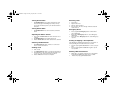
Adding a Deleted Nuisance Channel back to
the Scan List
1.
2.
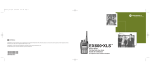
EX500 Quick Reference Card
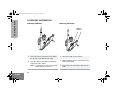
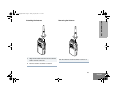
Press the preprogrammed Scan button to stop the scan
operation.
Press the preprogrammed Scan button again to re-start the
scan operation.
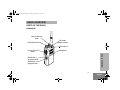
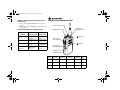
Channel Selector Knob
Programmable
Buttons
Positive
Indicator Tone
Negative
Indicator Tone
Scan
Starts Scan
operation
Stops Scan
operation
Tx Power
Transmits at low
power
Transmits at high
power
Squelch
Operates in tight
squelch
Operates in
normal squelch
Radio DOES
NOT use the
repeater
Radio uses the
repeater
Repeater/
Talkaround
Top Button
(programmable)
On/Off/Volume Knob
Programmable Buttons’ Audio Indicators
LED Indicator
Push-to-Talk
(PTT) Button
Microphone
Side Button 1
(programmable)
Side Button 2
(programmable)
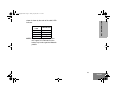
Button
Function
Short Press
Long Press
Hold Down
Page