1
Installing a PPX:500–5114–A RBC (continued)
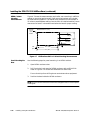
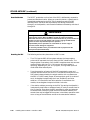
When the CPU logs an RBC off the system, it sets a corresponding bit in one
of the status words that are available to your RLL program. Your RLL
program can use these bits to detect the loss of the RBC and control the
outputs of other bases as appropriate for your application. For details about
status words and more information about programming, refer to the
SIMATIC 505 Programming Reference User Manual.
Assigning Base
Numbers
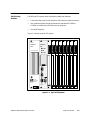
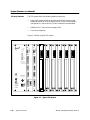
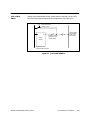
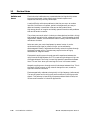
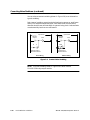
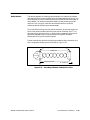
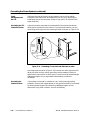
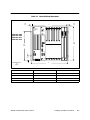
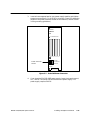
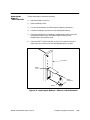
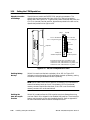
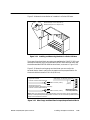
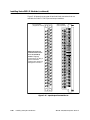
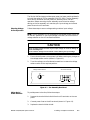
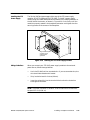
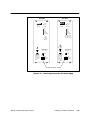
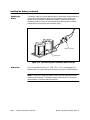
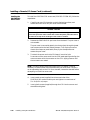
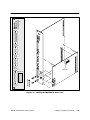
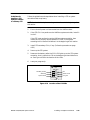
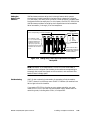
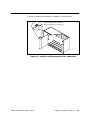
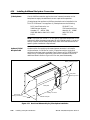
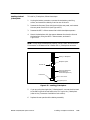
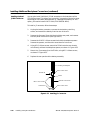
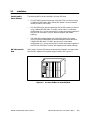
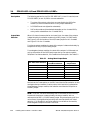
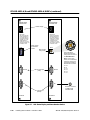
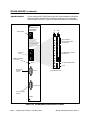
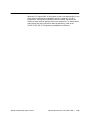
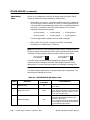
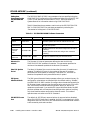
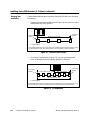
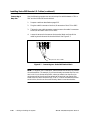
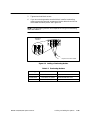
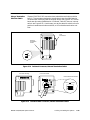
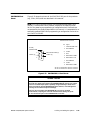
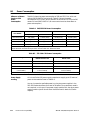
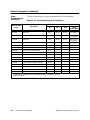
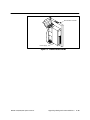
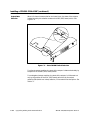
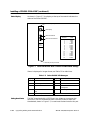
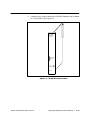
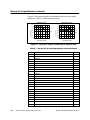
The base thumbwheel switch shown in Figure C-7 is used to assign a base
number to the RBC for system identification. If you are using more than one
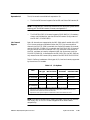
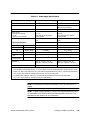
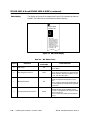
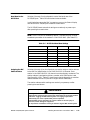
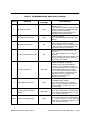
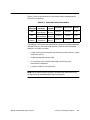
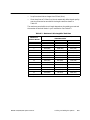
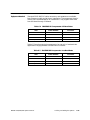
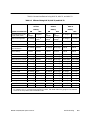
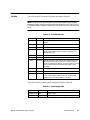
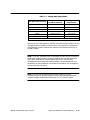
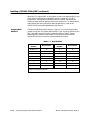
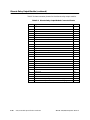
RBC, each RBC must be uniquely numbered. Refer to Table C-3 when
assigning base numbers. Base number 0 is reserved for the local base
(Series 505 controller) and must not be assigned to the RBC.
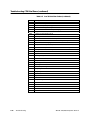
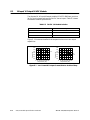
Table C-3 Base Numbers
Thumbwheel
Number
Base Number
Thumbwheel
Number
Base Number
Do Not Use
0*
8
8
1
1
9
9
2
2
10
10
3
3
11
11
4
4
12
12
5
5
13
13
6
6
14
14
7
7
15
15
* Base 0 is reserved for local base assignment. Therefore, do not assign base
address 0 to the Series 500 RBC.
C-18
Upgrading Existing Series 500 Installations
SIMATIC 545/555/575 System Manual