1
Table of Contents
Thank You!………………………………………………………….………………………………….....................4
DLI 9000 Peripherals and Accessories…………………………………………………………………………....4
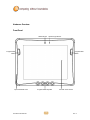
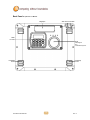
Hardware Overview………………………………………………………………………………………………….5
Setting Up the DLI 9000 Terminal………………………………………………………………………………….9
Unpack the Carton and Verify its Contents………………………………………………………………………..9
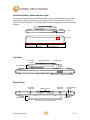
Battery Status LED…………………………………………………………………………………………………10
Power Management Utility………………………………………………………………………………………...10
Optional Auto Power On & Off Setup…………………………………………………………………………….11
Adjusting the Backlight……………………………………………………………………………………………..11
Using the Stylus…………………………………………………………………………………………………….12
Using the Programmable Keys……………………………………………………………………………………15
Using the Wi-Fi Radio……………………………………………………………………………………………...18
Using the Bluetooth Radio…………………………………………………………………………………………21
Using the Barcode Scanner……………………………………………………………………………………….26
5-in-1 Demo…………………………………………………………………………………………………………32
SIM Card Insertion………………………………………………………………………………………………….32
SAM Card Insertion………………………………………………………………………………………………...33
Using the GPS………………………………………………………………………………………………………34
DLI 9000 Desktop Cradle………………………………………………………………………………………….36
Installing the Vehicle Mount Cradle………………………………………………………………………………39
Installation Clearance & Airflow…………………………………………………………………………………...40
Vehicle Installation………………………………………………………………………………………………….40
Integrated Power Filtering DC Converter………………………………………………………………………...40
Technical Assistance……………………………………………………………………………………………….41
Product Service and Repair……………………………………………………………………………………….41
Shipping Your DLI Device…………………………………………………………………………………………42
Limited Warranty……………………………………………………………………………………………………44
Regulatory and Safety Approvals…………………………………………………………………………………45
FCC Compliance……………………………………………………………………………………………………47
DLI 9000 Product Manual
1
Rev. 3