1
Installation Procedure (continued)
6.
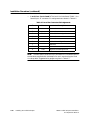
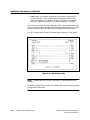
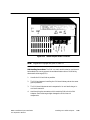
Two Siemens Industrial Automation, Inc. Tap Housings, Part No.
2702766–0001 (for Local Line installations only – supplied with your
Adapter).
7.
Mounting screws (user-supplied – .250 diameter).
8.
RS-232-C cable for use with modems (both cable and modems are
user-supplied).
9.
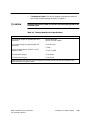
AC power wiring up to 14 A.W.G. (user-supplied and field-wired).
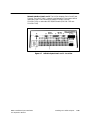
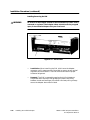
10. Dust caps – installed on all Adapter connectors.
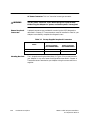
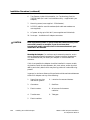
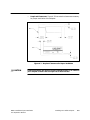
!
CAUTION
Dust caps should remain in place unless the connectors they cover
are actually used. For example, if you do not have dual
transmission media, the dust cover for the unused network port
should NOT be removed.
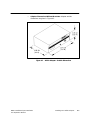
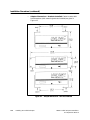
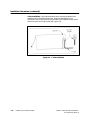
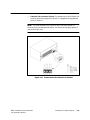
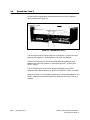
Mounting the Adapter. For maximum environmental protection, and to
ensure extended trouble-free operation, Siemens Industrial Automation,
Inc. recommends that you mount your Adapter in a standard NEMA
enclosure.
If this is not possible, the Adapter should be installed in a secure, stable,
dry location free of corrosive elements, dirt, dust, ashes, and/or any other
debris, particularly debris which may be a by-product of a manufacturing
process.
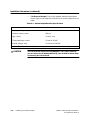
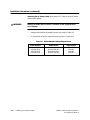
In general, a minimum distance of three feet should be maintained between
the Unilink Adapter and any of the following:
4-6
1.
Power lines carrying
440 volts or greater.
6. Induction furnaces and heaters.
2.
Generators.
7. Rectifiers.
3.
Electric motors.
8. All sources of microwave
radiation.
4.
Transformers.
9. Teletypes.
5.
Electric welders.
Installing Your Unilink Adapter
TIWAY 1 Unilink Adapter Installation
and Operation Manual