1
Pocket ACE Guide
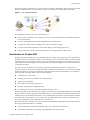
To deploy a Pocket ACE
1
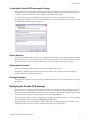
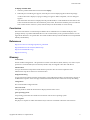
Select the portable media device listed and click Deploy. 2
When the password dialog box appears, enter the password for deploying the Pocket ACE package. As the Pocket ACE is deployed, a progress dialog box appears. When completed, a success dialog box appears. After the Pocket ACE instance is deployed to the portable media, it can be distributed to the end user. For Pocket ACE instances that have an initialization password set, the end user needs the password. The first time a Pocket ACE is used on a system, VMware Player will be installed, if it is not already. Conclusion
The Pocket ACE feature of ACE 2 Enterprise Edition allows administrators to bundle and deploy ACE packages directly on portable USB media devices such as flash memory sticks, portable hard drives or even Apple iPods. End users can operate their ACE client machines directly from the USB device for unparalleled mobility and flexibility. References
http://www.vmware.com/support/pubs/ace_pubs.html
http://technet.microsoft.com/en‐us/default.aspx
http://www.usbflashdrive.org/
http://www.usb.org
Glossary
ACE instance
Virtual machine configuration – the specification of what virtual devices (disks, memory size, and so on) are present in a virtual machine (an ACE instance) and how they are mapped to host files and devices.
authentication
A step in ACE instance setup that includes instance protection. The successful completion of the authentication step allows the user to run the instance.
bridged networking
A type of network connection with an ACE instance. Using bridged networking, an ACE instance appears as an additional computer on the same physical Ethernet network as the host. See also host‐only networking.
configuration
See virtual machine configuration file.
full screen mode
A display mode in which the ACE instance’s display fills the entire screen.
guest operating system
An operating system that runs inside an ACE instance. See also host operating system.
host computer
The physical computer on which the VMware Player software is installed. It hosts the ACE instances.
Copyright © 2007 VMware, Inc. All rights reserved.
11