1
Quick Start
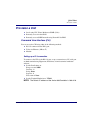
Provision a Unit
Provision a Unit
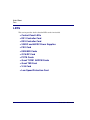
l
Local using CLI, Telnet, Modem or SNMP (Valet)
l
Remotely over an in-band DS0
l
Remotely over an SNMP network using NetworkValet EMS
Command Line Interface (CLI)
You can access the CLI using either of the following methods:
l
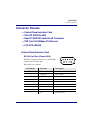
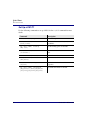
RS-232 connected to the DB-9 port.
l
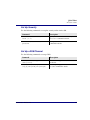
Telnet via Ethernet (10Base-T)
l
Modem
Setting up a CLI connection
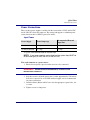
To connect to the CLI via the RS-232 port, set up a connection to a PC serial port
or dumb terminal using Hyperterm, ProComm, or similar terminal emulation
software:
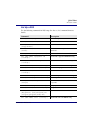
l Set the Port Settings to:
Bits per second: 9600
Data bits: 8
Parity: None
Stop bits: 1
Flow control: None
l Set the Terminal Emulation to: VT100
NOTE: The Default IP address of the Axxius 800 Controller is 10.0.0.10.
Axxius 800 - Release 2.2
45