1
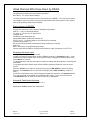
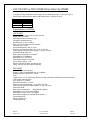
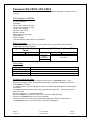
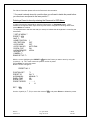
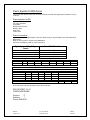
Dome Menu
** SET UP MENU **
PRESET 1* Ê
MAP Ê
HOME POSITION 1
SELF RETURN
OFF
AUTO MODEOFF
AUTO PAN KEY
AUTO PAN
DIGITAL FLIP
ON
LOCAL/REMOTE LOCAL
SPECIAL1 Ê
CAMERA Ê
RS485 SET UP Ê
Ê Indicates there is a submenu.
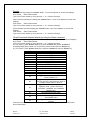
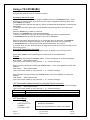
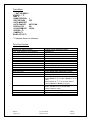
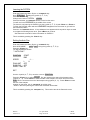
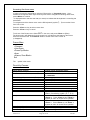
Direct Key Presses:
Panasonic Key/Function
<F2> Open Special 2 (In Dome Menu)
<F3> All Reset (In Dome Menu)
CAM (SET) Enter Setting / Open a submenu
Close a submenu / ESC
Open CAM SETUP (Enter Dome Setup)
Close CAM SETUP (Exit Dome Setup)
Move the Cursor
Select a parameter
Adjust the level
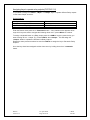
Focus near
Focus far
Ones shot focus
Zoom in
Zoom out
Manual Iris
Auto key / Autopan
Patrol
Close Aux. 1 output
Close Aux. 2 output
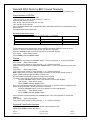
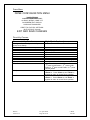
Domes
Version 1.3
Digital Sprite Keyboard press
<Camera 3>
<Camera 4>
<Enter>
Press <* Command>
Press <*Command> then Press <Menu>
Press and hold <*Command>
Joystick (ß,á,â,à)
Joystick (ß,à)
Joystick (ß,à)
<focus near>
<focus far>
Press <focus near> <focus far> together
<Zoom +>
<Zoom ->
Press <Zoom +> <Zoom -> together, then
press <Zoom +> for Iris Open, <Zoom -> for Iris
close.
Move Joystick (ß,á,â,à) to return keys to
normal <Zoom +> <Zoom -> function.
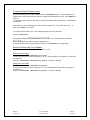
<auto-pan>, runs either the SEQUENCE,
SORT, PATROL PLAY or AUTO PAN.
Set by Panasonic menu.
<patrol>, recalls the PATROL.
<Wash>, momentary close
<Wiper>, latching ON/OFF
23 April 2002
Page 15 of 29
I.James
E & OE