1
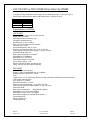
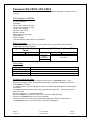
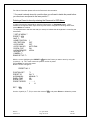
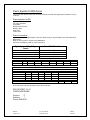
Dome Menu
DOME CONFIGURATION MENU
PAN/TILT/ZOOM
CAMERA / LENS FUNCTIONS
ALARMS / AREAS / HOME / PZ
ON-SCREEN TEXT DISPLAY
LANGUAGE PASSWORD
RESET TO FACTORY SETTINGS
QUIT WITHOUT SAVING
EXIT AND SAVE CHANGES
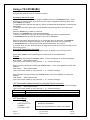
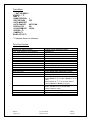
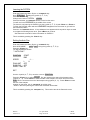
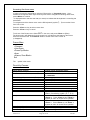
Direct Key Presses:
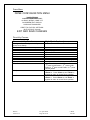
Sensormatic Key/Function
Digital Sprite Keyboard press
Starting the Dome Configuration Utility
(Enter Dome Setup)
Exit Dome Menu
Enter Setting / Open a submenu (Enter)
Move the Cursor
Select a parameter
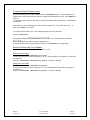
Focus near
Focus far
Zoom in
Zoom out
Spiral pattern
Patterns 1 - 3 / Patrols
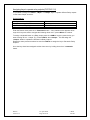
Press <*Command> then Press <Menu>
Iris Open
Iris Close
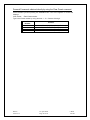
Domes
Version 1.3
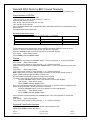
Press and hold <*Command>
<focus far>
Joystick (á,â)
<Zoom+>,<Zoom ->
<focus near>
<focus far>
<Zoom +>
<Zoom ->
<auto-pan>, Cancelled by joystick (ß,á,â,à)
<patrol>, recalls the 3 Patterns.
st
nd
1 press recalls Pattern 1, 2 press recalls
rd
th
Pattern 2, 3 press recalls Pattern 3, 4 press
cancels pattern
Press <Zoom +> and <Zoom -> together, then
<Zoom +>. Press <Zoom +> and <Zoom ->
together to return to normal Zoom operation.
Press <Zoom +> and <Zoom -> together, then
<Zoom ->. Press <Zoom +> and <Zoom ->
together to return to normal Zoom operation.
23 April 2002
Page 22 of 29
I.James
E & OE