1
c.
You log in to Server Administrator as a normal user without administrator privileges. For more information, see
the VMware documentation on assigning the role.
Fixing A Faulty Server Administrator Installation On Supported
Windows Operating Systems
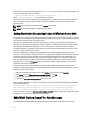
You can fix a faulty installation by forcing a reinstall and then performing an uninstall of Server Administrator.
To force a reinstall:
1.
Check the version of Server Administrator that was previously installed.
2.
Download the installation package for that version from support.dell.com.
3.
Locate SysMgmt.msi in the srvadmin\windows\SystemsManagement directory.
4.
Type the following command at the command prompt to force a reinstall
msiexec /i SysMgmt.msi REINSTALL=ALL
REINSTALLMODE=vamus
5.
Select Custom Setup and choose all the features that were originally installed. If you are not sure which features
were installed, select all features and perform the installation.
NOTE: If you have installed Server Administrator in a non-default directory, ensure to change it in the Custom
Setup as well.
NOTE: After the application is installed, you can uninstall Server Administrator using Add/Remove Programs.
OpenManage Server Administrator Services
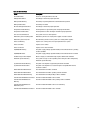
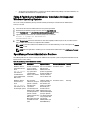
The following table lists the services used by Server Administrator to provide systems management information and the
impact of these services failing.
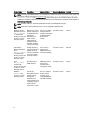
Table 14. OpenManage Server Administrator Services
Service Name
Description
Impact of Failure
Recovery Mechanism Severity
Windows: SM SA
Connection Service
Linux:
dsm_om_connsvc
(This service is
installed with the
Server Administrator
Web server.)
Provides remote/local
access to Server
Administrator from
any system with a
supported Web
browser and network
connection.
Users are not able to Restart the service
login to Server
Administrator and
perform any operation
through the Web user
interface. However,
CLI can still be used.
Critical
Windows: SM SA
Shared Services
Linux:
dsm_om_shrsvc
(This service runs on
the managed system.)
Runs inventory
collector at startup to
perform a software
inventory of the
system to be
consumed by Server
Administrator’s SNMP
and CIM providers to
perform a remote
software update using
Dell System
Management Console
and Dell IT Assistant
(ITA).
Software updates are Restart the service
not possible using
ITA. However, the
updates can still be
done locally and
outside of Server
Administrator using
individual Dell Update
packages. Updates
can still be performed
using 3rd party tools
(for example,
MSSMS, Altiris and
Novell ZENworks).
Warning
71