1
August 2012 – Ed.1.2
E451 Technical manual
Index
Chapter 1
Description.................................................................................................................................... 1
1.1 General description .............................................................................................................................. 1
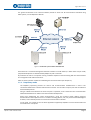
1.1.1. Proprietary mode ......................................................................................................................... 2
1.1.2. SIP mode with PBX ....................................................................................................................... 3
1.1.3. P2P-SIP mode ............................................................................................................................... 3
1.1.4. E451 intercom block diagram ...................................................................................................... 3
1.2 Equipment elements ............................................................................................................................ 4
1.3 Audio .................................................................................................................................................... 6
1.3.1. Loudspeaker output ..................................................................................................................... 6
1.3.2. Microphone input ........................................................................................................................ 6
1.4 User button .......................................................................................................................................... 6
1.5 Status LED ............................................................................................................................................. 6
1.6 Power supply connector ....................................................................................................................... 6
1.7 Reset button ......................................................................................................................................... 6
1.8 Factory default values recovery ........................................................................................................... 7
1.9 Input contact connector ....................................................................................................................... 7
1.10 Output contact connector .................................................................................................................... 7
1.11 Network connectors ............................................................................................................................. 8
1.11.1. Daisy Chain ................................................................................................................................... 8
Chapter 2
Mechanical mounting ................................................................................................................. 10
2.1 Materials and dimensions .................................................................................................................. 10
2.2 Installation .......................................................................................................................................... 11
Chapter 3
Functionality ............................................................................................................................... 13
3.1 Proprietary mode ............................................................................................................................... 13
3.1.1. Connection with the controller .................................................................................................. 13
3.1.2. Sending a call ............................................................................................................................. 13
3.1.3. Audio communication establishment ........................................................................................ 13
3.1.4. Audio communication closing .................................................................................................... 14
3.2 SIP mode with PBX ............................................................................................................................. 14
3.2.1. SIP network basic configuration with PBX ................................................................................. 15
3.2.2. Sending a call ............................................................................................................................. 15
3.2.3. Call reception ............................................................................................................................. 15
3.2.4. Audio communication ................................................................................................................ 16
3.2.5. Closing of the audio communication ......................................................................................... 16
3.3 P2P-SIP mode ..................................................................................................................................... 16
3.3.1. P2P-SIP network basic configuration ......................................................................................... 16
3.3.2. P2P-SIP network communication process ................................................................................. 17
3.4 Functioning test .................................................................................................................................. 17
3.5 Audio prerecorded messages ............................................................................................................. 17
Chapter 4
Auxiliary input and output control ............................................................................................. 18
4.1 Contacts control commands............................................................................................................... 18
4.1.1. Configuration consult................................................................................................................. 18
4.1.2. Output writing............................................................................................................................ 18
4.1.3. Contacts reading ........................................................................................................................ 18
4.1.4. Change in the inputs status ....................................................................................................... 18
4.2 Output contact activation by DTMF tones ......................................................................................... 18
EQUITEL – E451 Technical manual
iii