1
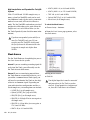
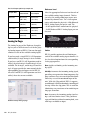
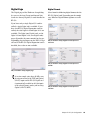
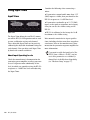
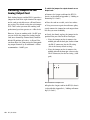
Using Input Trims Consider the following when connecting a mixer: Input Trims If your mixer cannot handle more than 1.5V (RMS) inputs at +4 dBu, then you should set the HD I/O to operate at –10 dBV line level. If your mixer can handle up to 15.5V (RMS) inputs, or has pads or attenuators on its inputs, then you can use the +4 dBu setting on the HD I/O. Input Trims The Input Trims below the two DB–25 connectors on the HD I/O AD Expansion card are used to store a calibration setting each channel. These adjustable Input Trims are for precisely calibrating the adjustable headroom settings for each channel. You can adjust each Input Trim by hand with a small screwdriver. About Input Operating Levels Check the manufacturer’s documentation for your mixer, power amplifier, or effects processor to see if it operates more comfortably at line level, in which case consider setting the HD I/O to operate at –10 dBV line levels and adjusting the Input Trims. 26 HD I/O Guide HD I/O is calibrated at the factory for 18 dB headroom at the +4 dBu setting. Most manuals contain device input specifications, including whether or not there are pads or attenuators. Refer to the manufacturer’s documentation for your mixer or power amplifier for more information. If you want to switch the input levels of the HD I/O from +4 dBu to –10 dBV, you can access these parameters on a channel-bychannel basis in the Hardware Setup dialog (see “Hardware Setup” on page 17).