1
Conventions Used in This Guide
All of our guides use the following conventions
to indicate menu choices and key commands:
:
Convention
Action
File > Save
Choose Save from the
File menu
Control+N
Hold down the Control key
and press the N key
Control-click
Hold down the Control key
and click the mouse button
Right-click
Click with the right
mouse button
The names of Commands, Options, and Settings
that appear on-screen are in a different font.
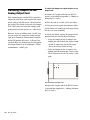
The following symbols are used to highlight
important information:
User Tips are helpful hints for getting the
most from your system.
Important Notices include information that
could affect your data or the performance of
your system.
Shortcuts show you useful keyboard or
mouse shortcuts.
About www.avid.com
The Avid website (www.avid.com) is your best
online source for information to help you get
the most out of your Pro Tools system. The following are just a few of the services and features
available.
Product Registration Register your purchase online.
Support and Downloads Contact Avid Customer
Success (technical support); download software
updates and the latest online manuals; browse
the Compatibility documents for system requirements; search the online Knowledge Base
or join the worldwide Pro Tools community on
the User Conference.
Training and Education Study on your own using
courses available online or find out how you can
learn in a classroom setting at a certified
Pro Tools training center.
Products and Developers Learn about Avid products; download demo software or learn about
our Development Partners and their plug-ins,
applications, and hardware.
News and Events Get the latest news from Avid
or sign up for a Pro Tools demo.
Cross References point to related sections in
this guide and other Pro Tools guides.
Chapter 1: Introduction
3