1
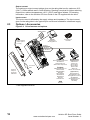
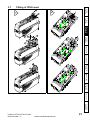
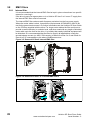
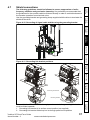
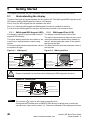
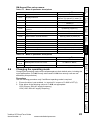
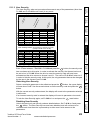
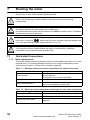
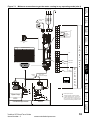
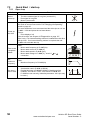
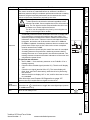
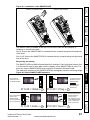
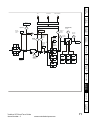
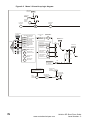
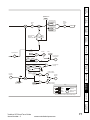
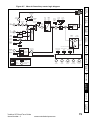
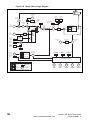
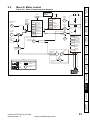
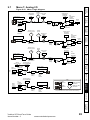
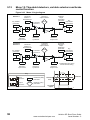
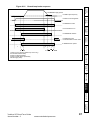
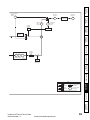
Figure 8-1 Installation of the SMARTCARD
Safety
Information
SMARTCARD installed
+
0
0.3
+
- Pr
to
Au
Prog
eter
ram
Pa
+
rEAd
Installing the SMARTCARD
bo
ot
+
Product
Information
Mechanical
Installation
Electrical
Installation
Size 0: Ensure the SMARTCARD is inserted with the contacts facing the left-hand side
of the drive.
Size 1 to 6: Ensure the SMARTCARD is inserted with the contacts facing the right-hand
side of the drive.
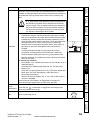
Easy saving and reading
SMARTCARD
Programs all drive
parameters to the
SMARTCARD
Drive reads all
parameters from
the SMARTCARD
Running the
motor
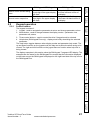
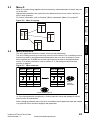
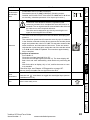
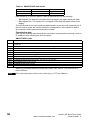
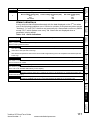
The SMARTCARD has 999 individual data block locations. Each individual location from
1 to 499 can be used to store data until the capacity of the SMARTCARD is used. The
drive can support SMARTCARDs with a capacity of between 4kB and 512kB.
The data block locations of the SMARTCARD are arranged to have the following usage:
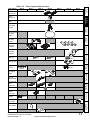
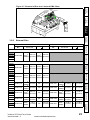
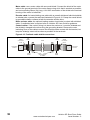
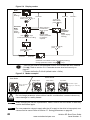
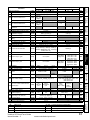
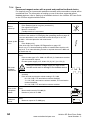
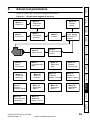
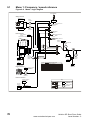
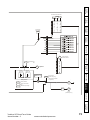
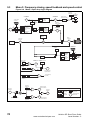
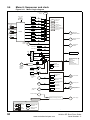
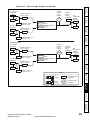
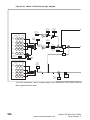
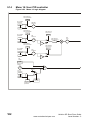
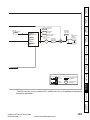
Figure 8-2 Basic SMARTCARD operation
Getting Started Basic parameters
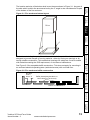
The SMARTCARD is located at the top of the module under the drive display (if
installed) on the left-hand side.
NOTE
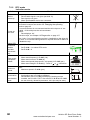
Boot
Auto
Save
Auto Save
Unidrive SP Short Form Guide
Issue Number: 2
UL Listing
Information
Pr 0.30 = Auto +
Drive boots from the
SMARTCARD on
power up and
automatically writes
to the SMARTCARD
when a parameter
save is performed
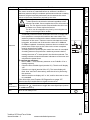
Pr 0.30 = boot +
www.controltechniques.com
Diagnostics
Drive automatically
writes to the
SMARTCARD
when a parameter
save is performed
Pr 0.30 = Prog +
Advanced
parameters
Pr 0.30 = rEAd +
Overwrites any
data already in
data block 1
67