1
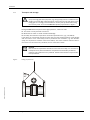
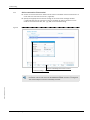
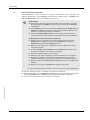
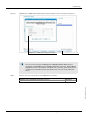
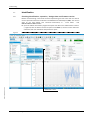
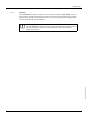
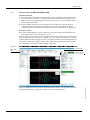
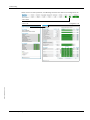
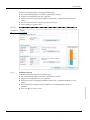
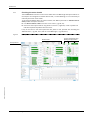
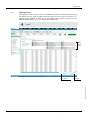
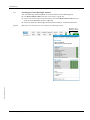
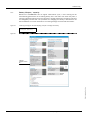
Troubleshooting 6.3 Generation of a Diagnosis session If it becomes necessary to generate a Diagnosis session for remote support, follow the procedure described below: Start the MEPAFLOW600 CBM software and establish an online connection to the meter (see pg. 59, 4.3 for all necessary preparations). Choose "Tools / Diagnosis session" from the menu or click the "Diagnosis session" item in the Key navigation ( Figure 43) Figure 43 "Diagnosis session" generation "Diagnosis session" item Subject to change without notice Specify a file name. (The file path is set according to the program settings. If necessary, specify a different path.) Click the "Save" button. MEPAFLOW600 CBM will now download the logbooks from the meter and generate a Diagnosis session with all relevant data. The entire process usually takes about three minutes. If the logbooks contain a lot of entries, the process may take longer. Email the Diagnosis session file to your SICK representative for support. FLOWSIC600 · Operating Instructions · 8010125 V 4.0 · © SICK AG 107