1
QuadroISDN Manual II: Administrator's Guide
Administrator’s Menus
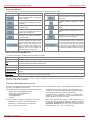
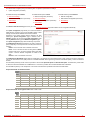
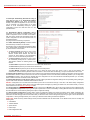
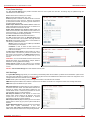
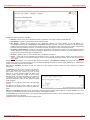
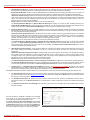
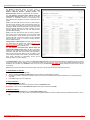
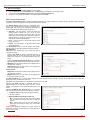
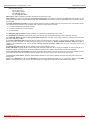
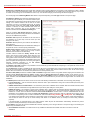
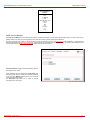
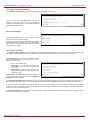
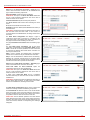
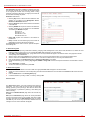
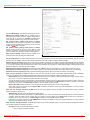
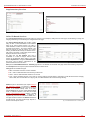
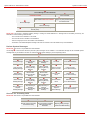
Add leads to the PPTP Client Connection - Add Entry page
where a new PPTP client connection can be established. This
page contains the following components:
Server Host Name requires the server’s hostname.
Please Note: The input in the Server Host Name field should
only be in Latin characters, otherwise an error occurs and no
PPTP connection can be created.
Client Host Password requires the local peer password.
The Server Host IP radio buttons allow selecting the PPTP
server.
IP requires the IP address of the PPTP server.
Hostname requires the FQDN (Full Qualified Domain Name) of
the PPTP server.
Please Note: All settings should be configured the same way on
both the PPTP client and server hosts. In other words, for
successful PPTP tunnel establishment; all settings should match
each other.
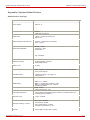
Fig. II-120: PPTP Client Configuration - Add Entry page
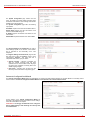
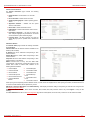
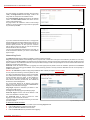
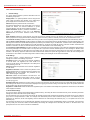
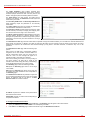
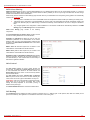
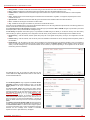
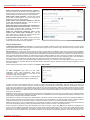
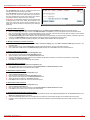
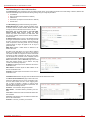
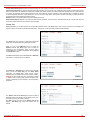
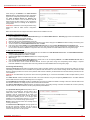
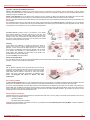
The PPTP Server Configuration link displays a page to
configure the PPTP server connections. It is divided into two
pages with a table of the existing PPTP server connections on
one page and the PPTP server settings on the other.
The page PPTP Server Connections offers the following input
options:
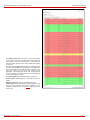
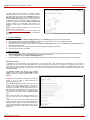
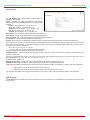
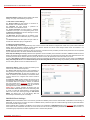
The table PPTP Server Connections lists all the PPTP
connections, characterized by their Connection Name and the
State of the PPTP connection (Disabled, No Client Connected
or Connected: IP address). Each PPTP Server connection can
hold only one PPTP tunnel.
Start is used to activate the selected PPTP connection(s).
Several server connections may be selected at the same time.
Stop is used to deactivate the selected PPTP connection(s).
Disabling the connection will disconnect all connected clients
and close the PPTP tunnel. Several server connections can be
selected at the same time to operate with this function.
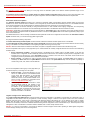
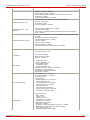
Fig. II-121: PPTP Server Configuration page
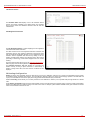
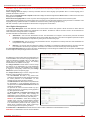
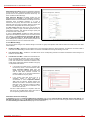
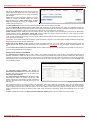
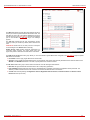
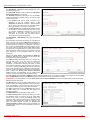
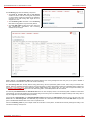
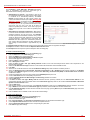
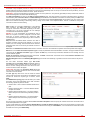
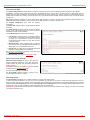
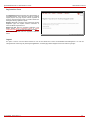
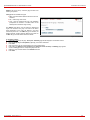
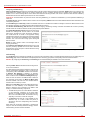
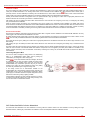
Add leads to the PPTP Server Connection - Add Entry page
where a new PPTP Server connection can be made.
Client Host Name and Client Password require
corresponding client’s host name and password.
the
Please Note: The input in the Client Host Name field should
only be in Latin characters, otherwise an error occurs and no
PPTP connection can be created.
In certain cases, Client Host Name can be a conditional
username defined by the client and used for PPTP connection
establishment.
Please Note: All settings should be configured the same way on
both the PPTP client and server. In other words, for successful
PPTP tunnel establishment, all settings should match.
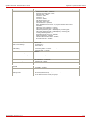
Fig. II-122: PPTP Server Configuration - Add Entry page
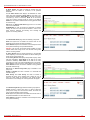
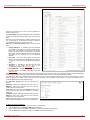
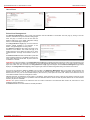
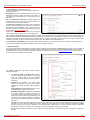
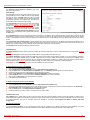
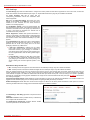
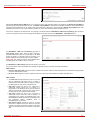
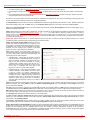
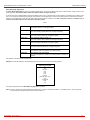
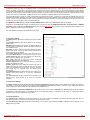
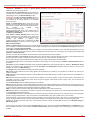
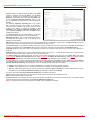
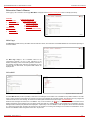
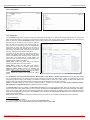
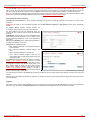
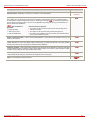
The PPTP Server Configuration page is used to configure the
PPTP server settings and offers the following components:
The PPTP Subnet text fields are used to enter the IP address
range for the PPTP server and clients within the PPTP tunnel.
The value specified for the subnet mask is fixed to 24 to restrict
the possible number of clients for the PPTP connection.
Please Note: The first address specified in the PPTP Subnet
will be assigned to the PPTP server; others will be assigned to
the clients. The PPTP server subnet should be different from the
L2TP server subnet, otherwise a corresponding error message
will appear.
QuadroISDN; SW Version 4.1.x
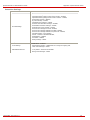
Fig. II-123: PPTP Server Configuration page
72