1
QuadroISDN Manual II: Administrator's Guide
Administrator’s Menus
Firewall and NAT
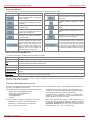
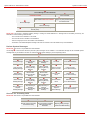
The Firewall Configuration page allows setting up a firewall, configuring the security level and enabling the NAT and IDS services of Quadro.
A Firewall is a security service configured by the Quadro administrator based on various criteria. The firewall allows or blocks traffic based on
policies, services and/or IP addresses. The firewall has several levels of security policies (low, medium or high). The administrator may add
additional service-based rules. Filtering rules will take effect only if the Firewall has been enabled and are independent from the selected firewall
security level.
NAT (Network Address Translation) is used to allow Quadro LAN members to connect to the Internet using Quadro's WAN IP address. The
Quadro/NAT also handles forwarding incoming packets from the WAN to the PCs or devices on Quadro’s LAN.
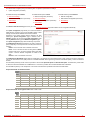
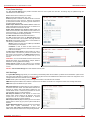
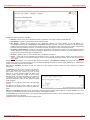
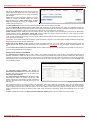
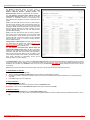
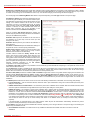
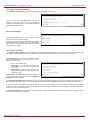
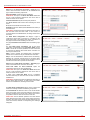
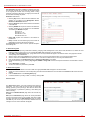
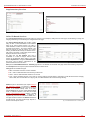
The Firewall
components:
Configuration
page
offers
the
following
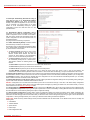
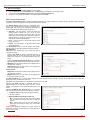
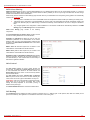
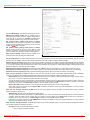
The Enable NAT checkbox selection enables Network Address
Translation.
The Enable Firewall checkbox selection enables the firewall
security service. The firewall security level has to be selected,
otherwise the firewall cannot be enabled.
The Firewall Security radio buttons are the following:
•
•
•
Low Security - Everything that is not explicitly forbidden
will be allowed. This security level doesn't block anything
by default. It is recommended if the device is already
located behind another firewall or if every filter has been
configured correctly.
Medium Security - Traffic originating from the LAN side
may pass and traffic from the WAN side will be blocked by
default. This is the recommended security level.
High Security - Everything that is not explicitly allowed will
be blocked, including traffic from the LAN side.
The Advanced Firewall Settings link refers to the page where
Quadro’s privacy can be configured.
The View Filter Rules link opens the Filtering Rules page.
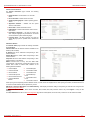
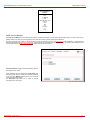
Fig. II-128: Firewall and NAT Settings page
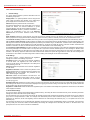
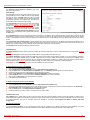
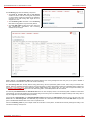
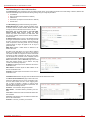
Advanced Firewall Settings
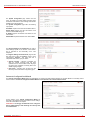
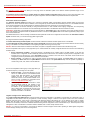
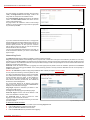
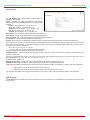
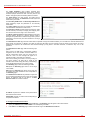
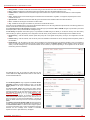
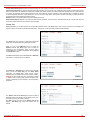
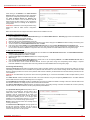
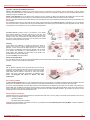
Advanced Firewall Settings are used to deny Ping and
operation addressed towards the device. With this feature
enabled, Quadro will answer with inscrutable messages to
the Ping operation.
Please Note: Operations are available only when the firewall
is enabled from the Firewall and NAT page.
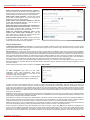
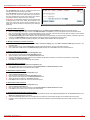
This page offers the following components:
The Ping Stealth checkbox selection prohibits a Ping
operation toward Quadro from its WAN.
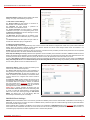
Fig. II-129: Advanced Firewall Settings page
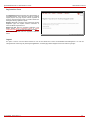
Filtering Rules
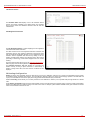
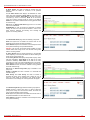
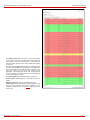
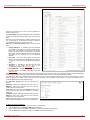
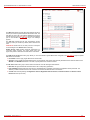
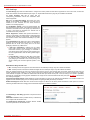
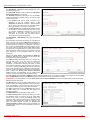
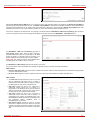
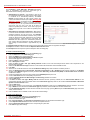
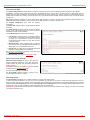
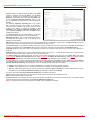
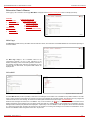
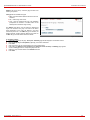
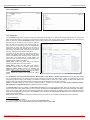
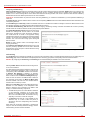
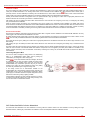
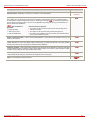
The Filtering Rules page allows you to configure the filters for incoming and outgoing traffic.
To prevent inaccurate configuration, only one rule per service is allowed. The user may use IP groups to include several IP addresses for this rule.
Since the filtering rules specify the operation mode of the firewall, they only take effect if the firewall has been enabled (additionally NAT should be
enabled to use the Port Forwarding function in the Incoming Traffic / Port Forwarding filtering rules). The filtering rules are independent from the
security level, so they will work if enabled, no matter what security level has been selected.
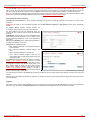
Please Note: Applying firewall rules will prevent the establishment of new connections that violate the rules. Applying rules does not kill existing
connections that violate the rule.
QuadroISDN; SW Version 4.1.x
75