1
L
R4C3900
Rev. D
A5 size
4/6/01
APPNDX.FM
Pass 3
Proof Sign-off:
T.Ichihashi
M.Miyazaki
K.Norum
_______
_______
_______
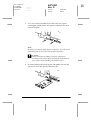
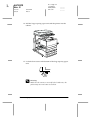
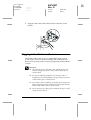
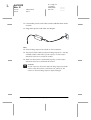
17. Connect the power cord of the scanner and then turn on the
scanner.
18. Plug in the power cord of the AC adapter.
Note:
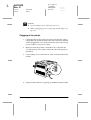
❏ Network Image Express has a built-in SCSI terminator.
❏ The fixed SCSI ID number for Network Image Express is 7. Use any
available number other than 7 for the scanner. See the scanner
manual to learn how to set the ID number.
❏ Make sure the scanner is terminated properly. See the scanner
manual to learn how to terminate the scanner.
c
46
Caution:
Do not connect or disconnect Network Image Express from the
scanner while the scanner is still turned on; otherwise, the
scanner or Network Image Express may be damaged.
Installing EPSON Network Image Express