1
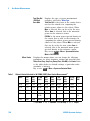
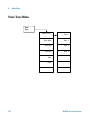
Key Reference
4
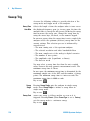
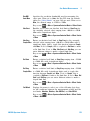
Frequency
Edits the frequency value for a limit point.
After editing, the limit table will place the
frequency or time in correct order. For a
new point, Amplitude defaults to 0 dBm and
Connected defaults to Yes.
Key access: Det/
Display > Limits > Limit 1/2 > Edit
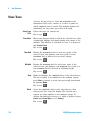
Amplitude
Sets the amplitude value for the current
point.
Key access: Det/
Display > Limits > Limit 1/2 > Edit
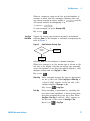
Connected To Previous Pt
Yes No
Determines whether the current point will
be connected to the previous point. Pressing
this key toggles the Connected value of the
current point between Yes and No.
Key access: Det/
Display > Limits > Limit 1/2 > Edit
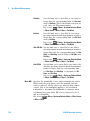
Delete Point
Deletes the current point in the limit line.
Pressing this key will delete the point
immediately.
Key access: Det/
Display > Limits > Limit 1/2 > Edit
Delete Limit
Delete
All Limits
N9320A Spectrum Analyzer
Deletes the current limit set. Pressing this
key will delete the limit immediately.
Key access: Det/
Display > Limits > Limit 1/2
Purges data from the limit- line tables. Pressing this key
will delete all the limits immediately.
Key access: Det/
Display > Limits
83