1
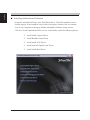
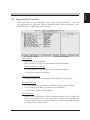
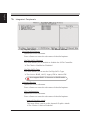
English Installing Motherboard Software Insert the attached DVD into your DVD-ROM drive. The DVD AutoRun screen should appear. If the AutoRun screen does not appear, double click on Autorun icon in My Computer to bring up Shuttle Mainboard Software Setup screen. Click the “Install Motherboard Drivers“ bar. Individually install the following drivers. Install AMD Chipset Driver Install Realtek Audio Driver Install AMD VGA Driver Install Marvell Gigabit LAN Driver Install AMD Raid Driver