1
Dynamix DW-01Plus/S Gateway User Manual
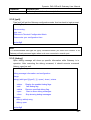
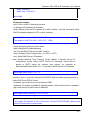
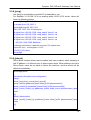
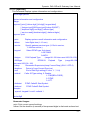
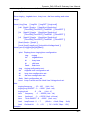
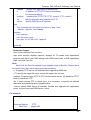
phone -print rbt
phone -ring 20 2000 4000 94
phone -rbt 480 440 125 105 2000 4000 2000 4000
phone -bt 620 480 125 105 500 500 500 500
phone -dt 440 350 96 96 8000 0 8000 0
phone -flash 400 800
phone -level 1 32
usr/config$
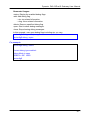
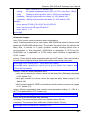
Parameter Usages:
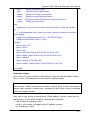
-print: Print current call progress tone configurations (ring: ring tone, rbt: ring back
tone, bt: busy tone, dt: dial tone). This parameter should be accompanied with tone
type.
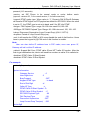
-ring: To set RING tone value. The played tone type, when Gateway is receiving a
call.
-rbt: To set RingBackTone value. The played tone type, when Gateway receives a
Q.931 Alerting message. In condition that Gateway is the originate side.
-bt: To set BusyTone value. The played tone type, when destination is busy.
-dt: To set DialTone value. The played tone type, when hook off a phone set of
workable Gateway.
-flash: Set the detective flash range in ms, for example, 300-500 ms.
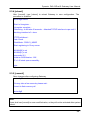
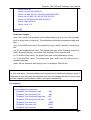
Note:
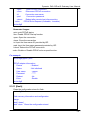
For tone simulation, Gateway adopts dual frequencies as traditional telephone does. If
users want to have their own call progress tone, they can change the value of tones. High
and Low frequency/level/cadence can be configured respectively.
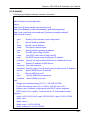
For example:
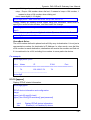
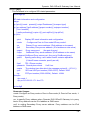
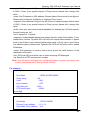
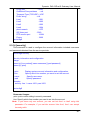
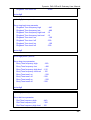
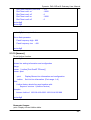
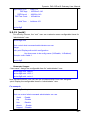
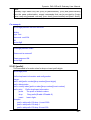
usr/config$ phone -print rbt
Phone ringback tone paramter
Ringback Tone frequency high
: 480
Ringback Tone frequency low
: 440
Ringback Tone frequency high level : 155
Ringback Tone frequency low level : 155
Ringback Tone tone1 on
: 2000
Ringback Tone tone1 off
: 4000
Ringback Tone tone2 on
: 2000
- 88 -