1
BLUETOOTH OPERATIONS
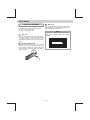
User Guide For Bluetooth
1. When using this Bluetooth HEAD UNIT,
please make sure the mobile phone you use
supports Bluetooth functions (Headset or
Handsfree profiles or both).
2. Before you start to use the Bluetooth HEAD
UNIT, please make sure you successfully
paired your mobile phone with the system.
Please refer to the user manual, section
“PAIRING” for detail “PAIRING” instruction.
To ensure the best reception for Pairing or
Re-connection, please make sure the
Phone Battery is fully charged when making
the Pairing or Re-connection.
3. Always try pairing the Mobile Phone with
Head unit after a few minutes of the Mobile
Phone being switched on to ensure the best
pairing result.
4. “CW80” is this unit device model number which
is displayed on the mobile phone.
5. To achieve the best performance, please
always keep the Mobile Phone within 3
meters of the Head unit.
10. To ensure the best conversation quality /
performance, talk within 1 meter of the
Head Unit.
11. If the user wants to Dis-connect the Head
unit with the Mobile Phone, please switch
"OFF" Bluetooth connectivity on the
Mobile Phone.
12. Some Mobile Phones can support “IN
BAND RING TONE”, such as Nokia. In
such case, the Incoming Ringing Tone will
be same as the original Ring-tone of the
Mobile Phone. But some Mobile Phones
like Sony Ericsson do not support this
feature. The Ring-tone will be using the
standard Ring-tone of the Head unit.
13. When in telephone mode, during talking, it
is highly recommended to set the volume
to below “35” in order to achieve the best
sound quality. If the volume is too high, it
may create unwanted echo inside the car.
The unwanted echo may feedback into the
microphone.
6. Please always keep a clear path between
the Mobile Phone & the Head unit.
Frequency Asking Questions
7. Never put any metal object or any obstacle
between the path of the Mobile Phone & the
Head unit.
Q: In a conversation, if the voice output from
the car's speakers is not loud enough.
8. Some mobile phone brands like Sony
Ericsson may have "Power Saving Mode"
selection when Bluetooth mode is switch
on. DO NOT Switch ON Power saving Mode
when operating with this Head Unit, as
some abnormal communicational behavior
might occur.
A: Try increasing the volume level of the head
unit to a suitable sound level.
Q: In a conversation, the “ Listener” cannot
hearing my voice loud enough.
A: First, try asking the “Listener to” increase
the volume level on his/her mobile phone, if
it is still not loud enough, try to increase
your mobile phone's volume level.
9. Before the user makes an outgoing call or
accepts an incoming call, make sure the
mobile phone's “Bluetooth function” is
switched “ON”.
E - 16