1
Contents
INTRODUCTION
6
Purpose and Scope ........................................................6
Required Reading ...........................................................6
Supported Devices..........................................................7
The SPECTRUM Model ..................................................7
TASKS
DEVICE VIEW
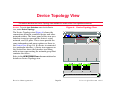
DEVICE TOPOLOGY VIEW
20
APPLICATION VIEWS
21
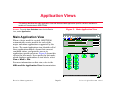
Main Application View................................................... 21
Supported Applications ................................................. 22
Common Applications ............................................... 22
Device-Specific MIBs ................................................ 23
Switching Application (LS_Switch_App) ....................... 24
Interface .................................................................... 24
Switch Application TC Sublayer Table View .......... 24
Switch Application DS3 PLCP Table View ............ 25
Switch Interface Physical Layer View .................... 25
Cross Connect Table View........................................ 25
Switch Application Virtual Channel Cross Connect Table View .......................................................... 26
Switch Application Virtual Channel Cross Connect
View ................................................................ 27
Switch Application Virtual Path Cross Connect Table
View ................................................................ 27
Switch Application Virtual Path Cross Connect View28
Link Table View ......................................................... 28
Switch Application VCL Table View ....................... 28
Switch Application VCL View ................................. 30
Switch Application Interface Virtual Channel Link Table
Extension View ............................................... 30
Switch Application VPL Table View ....................... 32
ATM Switch Application VPL Table View .............. 33
9
10
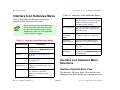
Interface Icon Subviews Menu ......................................11
Interface Status View ....................................................11
Secondary Address Panel ............................................11
Logical Device View ......................................................12
Interface Icon ................................................................12
Interface Address Translation Table View .............15
Interface Icon Subviews Menu ......................................16
Interface Icon Subviews Menu Selections.................16
Interface Physical Error View.................................16
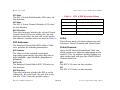
Connections ...........................................................17
SVC Addresses ..................................................17
SVP Addresses ..................................................18
Links.......................................................................18
Virtual Channels .................................................18
Virtual Paths .......................................................19
Interface Threshold View .......................................19
Device Management
Page 3
Cisco LightStream 1010