1
l
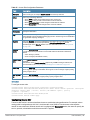
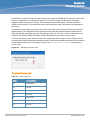
3GPP Profile
l
IP Address availability Profile
l
Domain Name Profile
l
Operator Friendly Name Profile
l
Connection Capability Profile
l
Operating Class Profile
l
WAN-Metrics Profile
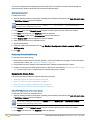
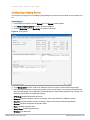
Configuring an NAI Realm Profile
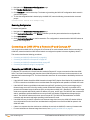
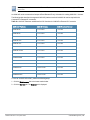
You configure an NAI Realm profile to define the NAI realm information that can be send as an ANQP IE in a GAS
query response.
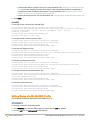
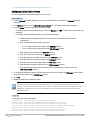
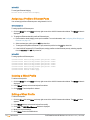
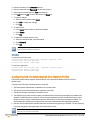
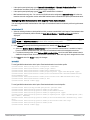
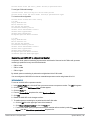
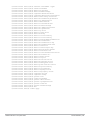
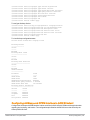
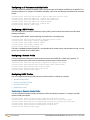
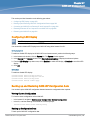
To configure a NAI profile, enter the following commands at the command prompt:
(Instant
(Instant
(Instant
(Instant
(Instant
(Instant
(Instant
(Instant
(Instant
(Instant
(Instant
Access
Access
Access
Access
Access
Access
Access
Access
Access
Access
Access
Point)(config)# hotspot anqp-nai-realm-profile <name>
Point)(nai-realm <name>)# nai-realm-name <name>
Point)(nai-realm <name>)# nai-realm-encoding <UTF8-encode>
Point)(nai-realm <name>)# nai-realm-eap-method <eap-method>
Point)(nai-realm <name>)# nai-realm-auth-id-1 <authentication-ID>
Point)(nai-realm <name>)# nai-realm-auth-id-2 <authentication-ID>
Point)(nai-realm <name>)# nai-realm-auth-value-1 <authentication-value>
Point)(nai-realm <name>)# nai-home-realm
Point)(nai-realm <name>)# enable
Point)(nai-realm <name>)# end
Point)# commit apply
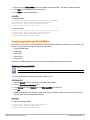
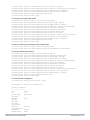
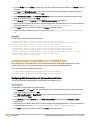
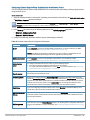
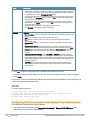
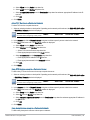
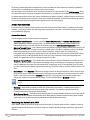
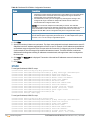
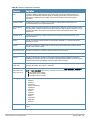
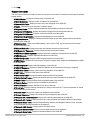
You can specify any of the following EAP methods for the nai-realm-eap-method <eap-method> command:
l
crypto-card—To use crypto card authentication
l
eap-aka—To use EAP for UMTS Authentication and Key Agreement
l
eap-sim—To use EAP for GSM Subscriber Identity Modules
l
eap-tls —To use EAP-Transport Layer Security (EAP-TLS)
l
eap-ttls—To use EAP-Tunneled Transport Layer Security (EAP-TTLS)
l
generic-token-card—To use EAP Generic Token Card (EAP-GTC)
l
identity—To use EAP Identity type
l
notification—To use the hotspot realm uses EAP Notification messages for authentication.
l
one-time-password—To use authentication with a single-use password
l
peap—To use protected Extensible Authentication Protocol (PEAP)
l
peap-mschapv2—To use PEAP with Microsoft Challenge Handshake Authentication Protocol (PEAP-MSCHAP)
version 2.
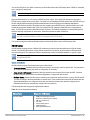
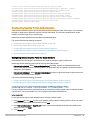
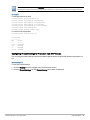
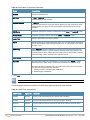
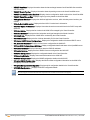
You can specify any of the following authentication methods as an authentication ID for the nai-realm-auth-id-1
<authentication-ID> command:
l
credential-type—To use credential-based authentication
l
expanded-eap — To use EAP authentication method.
l
expanded-inner-eap—To use the expanded inner EAP authentication method.
l
inner-auth-eap —To use inner EAP authentication type.
l
non-eap-inner-auth—To use non-EAP inner authentication type
l
tunneled-eap-credential-type—To use the tunneled EAP credential typeS
AOS-W Instant 6.2.1.0-3.3| User Guide
Hotspot Profiles | 255