1
Operation Warnings
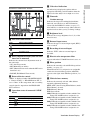
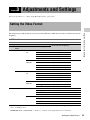
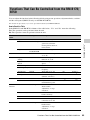
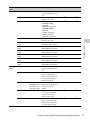
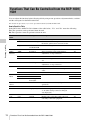
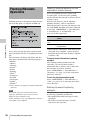
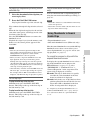
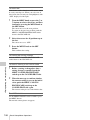
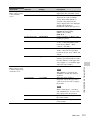
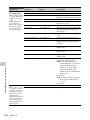
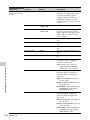
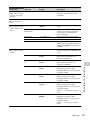
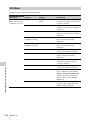
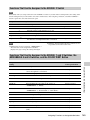
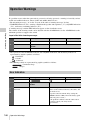
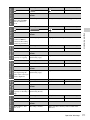
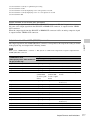
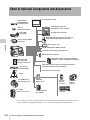
Layout of the table of warning messages
A
Chapter 9 Maintenance
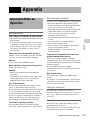
If a problem occurs when the camcorder is powered or is being operated, a warning is issued by various
visible and audible indicators. These visible and audible indicators are:
• Error/warning message (“A” in the “Layout of the table of warning messages” below)
• WARNING indicator (“B”), warning sound from the speaker and earphones (“C”), tally/REC indication
(“D”), and battery remaining indicator (“E”).
A warning message, and the REC indication appear on the viewfinder screen.
The volume of the warning sound can be adjusted with the ALARM knob. Set the ALARM knob to the
minimum position to suppress the sound.
WARNING indicator
Warning sound
Tally/REC
Battery remaining
B
C
D
E
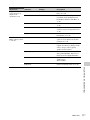
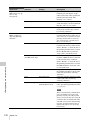
Problem
Operation in the recorder Action to take
module
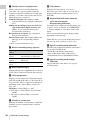
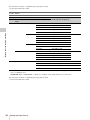
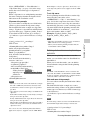
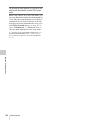
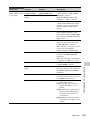
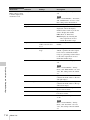
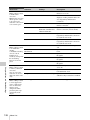
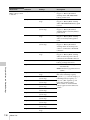
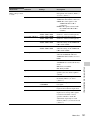
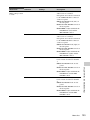
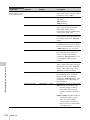
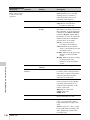
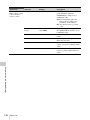
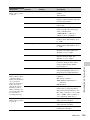
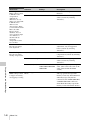
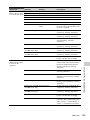
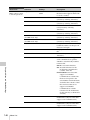
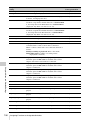
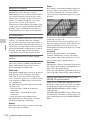
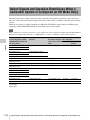
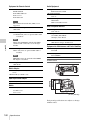
• The operation of the WARNING indicator, the tally/REC indication, and the battery indicator is
represented by graphic symbols as follows.
: Continuous
: 1 flash/s
: 4 flashes/s
• The warning sounds are represented by graphic symbols as follows.
: Continuous beep
: 1 beep/s
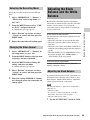
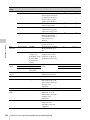
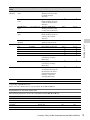
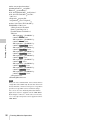
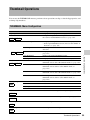
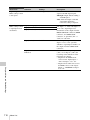
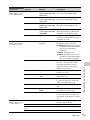
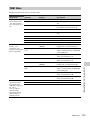
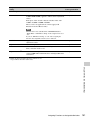
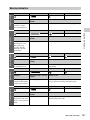
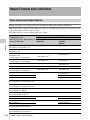
Error Indication
WARNING indicator Warning sound
Tally/REC
E-*****
—
166
Battery remaining
—
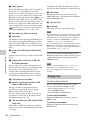
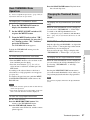
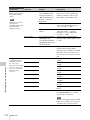
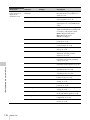
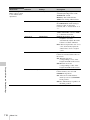
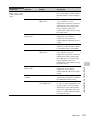
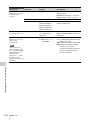
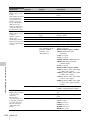
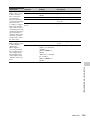
Problem
Operation in the recorder
module
Action to take
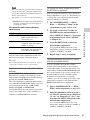
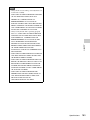
The camcorder is
abnormal.
Recording stops.
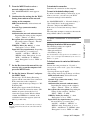
Turn off the power and confirm whether an error
occurs on the connected devices, the cables, and
the media or not.
(If power cannot be turned off by setting the
POWER switch to OFF, remove the battery pack
or the AC power source.)
If the problem continues after the camcorder is
restarted, contact your Sony service
representative.
Operation Warnings