1
Printing
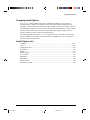
Changing the Protocol
When you first turn the printer on, the active protocol depends on what port will be used for
printing.
For Macro 1: If you use the serial port, the active protocol will be the DEC protocol.
If you use the parallel port, the active protocol will be the Epson protocol.
For Macro 2: If you use the serial port, the active protocol will be the DEC protocol.
If you use the parallel port, the active protocol will be the IBM protocol.
This printer has three protocols and allows you to set the protocol mode in one of the
following three ways: the printer engages one of the three protocols, automatically
determines the active protocol, or assigns different protocols for parallel and serial
interfaces.
To change the protocol:
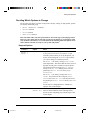
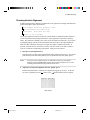
1. Make sure the printer is in the Ready state (no data to be printed).
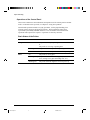
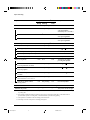
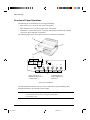
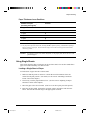
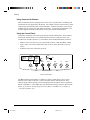
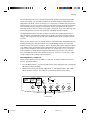
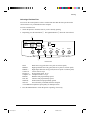
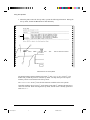
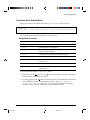
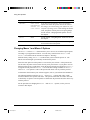
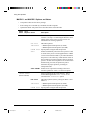
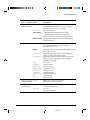
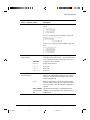
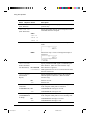
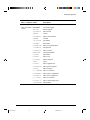
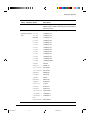
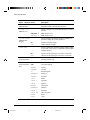
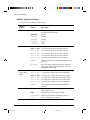
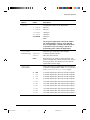
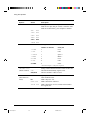
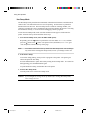
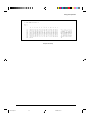
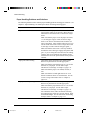
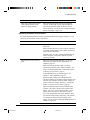
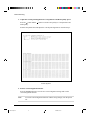
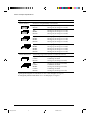
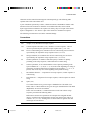
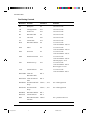
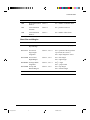
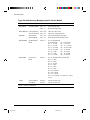
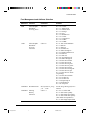
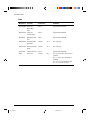
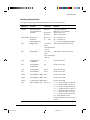
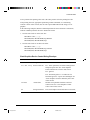
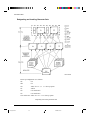
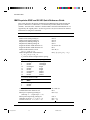
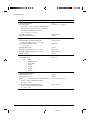
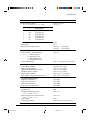
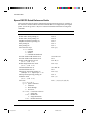
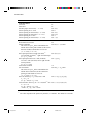
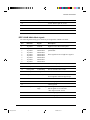
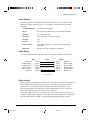
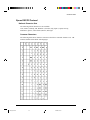
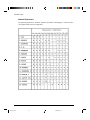
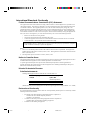
2. Repeatedly press the Protocol button q. The DEC and PPX24 indicators turn on and off.
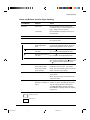
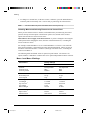
The combination of lighted indicators shows the protocol mode selected, according to
the next table.
Draft
HSDraft
HiDraft
Courier 10
Prestige 12
Bold PS
Time PS
Comp. 17
Nimb. PS
M1
Fault
DEC
PPX24
Ready
Pause
Soft Ctrl.
Font
M2
Macro
Protocol
EP2
M1
Set-up/Quit
Park
LF
FF/Load
M2
Top
Exit/Save
q
Control Panel
Indicator Status
Active Protocol
DEC lit
DEC PPL2 protocol
PPX24 lit
– IBM Proprinter X24E protocol (LA30N)
– IBM Proprinter XL24E protocol (LA30W)
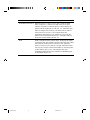
Both lit (EP2)
Epson ESC/P2 protocol
Flashing alternately
According to Set-Up settings, the printer waits for data to switch
to a proper protocol.
3-8
#03 Chapter 3
8
23/05/96, 14:28