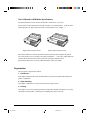
1
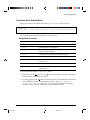
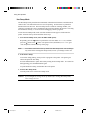
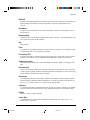
Paper Handling
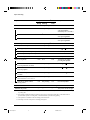
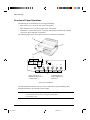
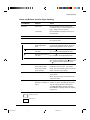
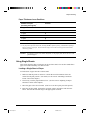
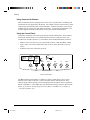
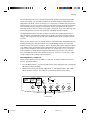
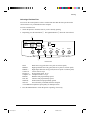
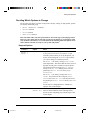
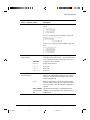
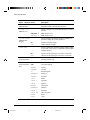
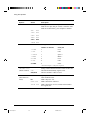
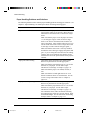
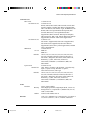
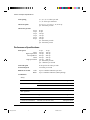
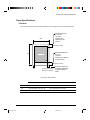
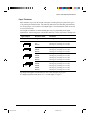
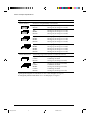
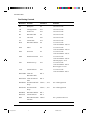
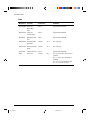
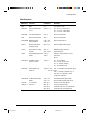
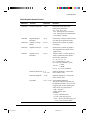
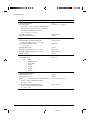
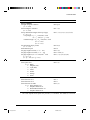
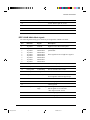
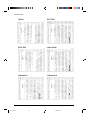
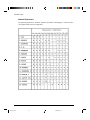
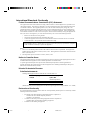
Levers and Buttons Used for Paper Handling
Lever/Button
Purpose
Action
FF/Load
Form feed
Press FF/Load to execute a form feed.
Continuous forms are fed forward by one
page. Single sheets are ejected.
Press FF/Load to feed paper to the top of
form position.
Load paper
LF
Line feed
Press LF to feed paper forward by one line.
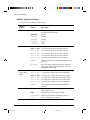
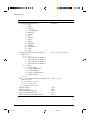
Park
Unload forms
Press Park to retract continuous forms to
the “park position.”
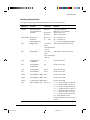
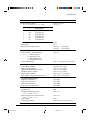
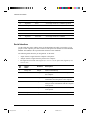
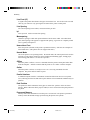
Set-Up/Quit + Top
Enter Top-of-Form
(TOF) Adjustment
mode
Press Set-Up/Quit and Top at the same time
to enter TOF Adjustment mode where the
paper loading position can be adjusted.
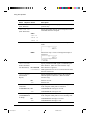
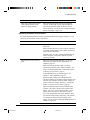
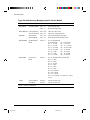
button to feed paper forward
Increase TOF value by Press the
by 1/60 inch in TOF Adjustment mode.
1/60 inch
Decrease TOF value by Press the button to feed paper backward
by 1/60 inch in TOF Adjustment mode.
1/60 inch
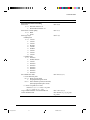
Save TOF value
Press Exit/Save to permanently store the
TOF position adjusted by the
button and
the button in TOF Adjustment mode.
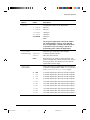
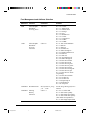
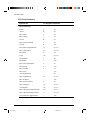
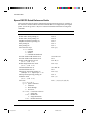
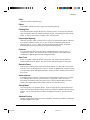
Pause
Advance forms to the
tear bar when forms
are at Top-of-Form
(TOF) position
Press Pause to advance the forms
perforation to the tear bar. Tear off the
forms, then press Pause again to return the
forms to the previous position.
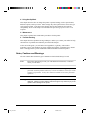
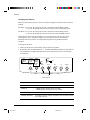
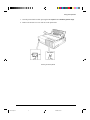
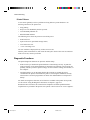
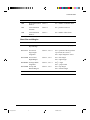
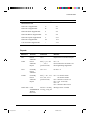
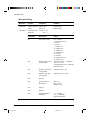
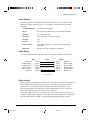
Paper select lever *
Select paper path
Move the paper select lever forward for
single sheets.
Move the paper select lever backward for
continuous forms.
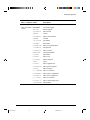
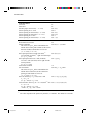
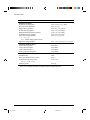
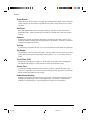
Exit/Save
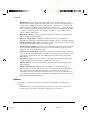
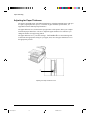
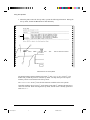
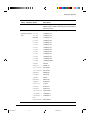
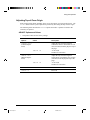
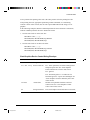
Paper thickness lever Adjust for paper
Select the number corresponding to the
number
of copies (including the original).
thickness or number of
Vary
the
setting upward or downward
copies
(including A to D) to optimize printing.
Select D when replacing ribbon or clearing
a paper jam.
*
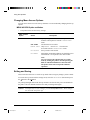
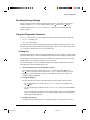
The following graphics are engraved on the casing.
Continuous forms
Single sheets
2-9
#02 Chapter 2
9
23/05/96, 14:16