1
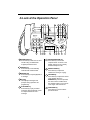
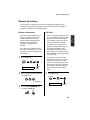
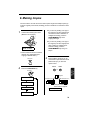
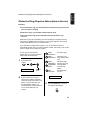
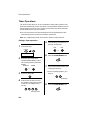
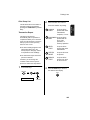
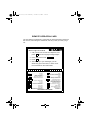
A Look at the Operation Panel
1
2 3
4
5
7
6
8
9 10
FACE DOWN
(MAX 10 SHEETS)
TEL FAX
TAD
ABC
1
GHI
2
JKL
7
3
MNO
4
PQRS
SPEED
DIAL
DEF
5
REDIAL
8
RECEPTION
MODE
VOLUME
DOWN
UP
RESOLUTION
FUNCTION
REC/MEMO PLAY/SKIP
DELETE
6
WXYZ
TUV
REPEAT
HOLD/
SEARCH
COPY/HELP
9
STOP
SPEAKER
01
02
03
0
04/POLL OpenLCR
OpenLCR
START/MEMORY
11
12 13 14
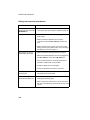
1 SPEED DIAL key
Press this key to dial a fax or voice
number using an abbreviated
2-digit Speed Dial number.
2 REDIAL key
Press this key to automatically
redial the last number dialed.
3 REPEAT key
Press this key to repeat playback of
a message.
4 Display
This displays messages and
prompts during operation and
programming.
5 PLAY/SKIP key
Press this key to play recorded
messages. During playback, press
it to skip forward to the next
message.
15
16 17 18
19
20
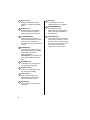
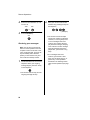
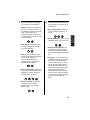
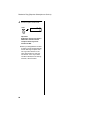
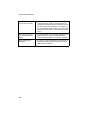
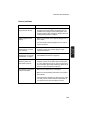
6 RECEPTION MODE key
Press this key to select the
reception mode. An arrow in the
display will point to the currently
selected reception mode.
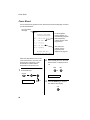
7 RESOLUTION key
Press this key to adjust the
resolution for faxing or copying.
8 VOLUME key
Press this key to adjust the volume
of the speaker when the
SPEAKER key has been pressed,
the volume of the handset when
the handset is lifted, or the volume
of the ringer at all other times.
9 FUNCTION key
Press this key to select various
special functions.
7