1
10
ArcSoft Software
Video capture on Mac OS
11
ArcSoft Software
3. Select Acquire from the File menu to open the View Finder window. In this
window you can make adjustments and capture the image.
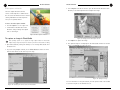
The video capture window in the Mac
version of VideoImpression is different from
the one found in the Windows version. Instead
of being embedded in the VideoImpression
screen, it is a separate window.
To access the video capture window
1. Click the capture icon (see Figure 11).
2. Use the buttons at the bottom of the
window to change settings and capture
video or still images.
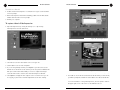
Figure 13.Video capture window
To capture an image in PhotoStudio
Mac operating systems do not support the image capture feature in PhotoStudio.
Capture images using VideoImpression and then open them in PhotoStudio for editing.
1. Open PhotoStudio by clicking the desktop icon or selecting PhotoStudio from
the Start menu.
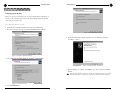
Figure 15. Image preview and capture screen
4. Click Capture to capture the image.
5. The captured image is now displayed in the PhotoStudio window. To save the
image, select Save As from the File menu.
2. If you are using multiple cameras, choose Select Source from the File menu
and select the driver for the camera you are using.
Figure 16. Saving the image
For more information on using PhotoStudio, click the question mark on the toolbar
Figure 14. Selecting the camera source in PhotoStudio
Technical Services Group ~ 1-800-283-5936 (USA) ~ 1-801-974-3760
to access the help file or visit www.arcsoft.com.
Technical Services Group ~ 1-800-283-5936 (USA) ~ 1-801-974-3760