1
SD-HX500
ENGLISH
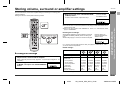
Setting
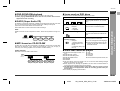
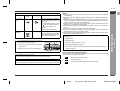
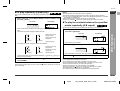
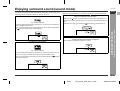
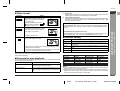
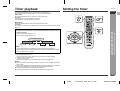
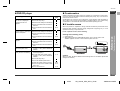
When playing a wide image (16:9) disc,
the left and right sides of the image are
cut (pan scan) to display a natural-looking 4:3 size image.
A wide image disc without pan scan
is played back in letterbox
.
A 4:3 disc is played in 4:3.
When playing a wide image (16:9) disc,
black bands are inserted at the top and
bottom and you can enjoy full wide images (16:9) on a 4:3 size TV.
*2
Progressive
525 scanning lines are drawn in order without interlacing (first field), and then 525
scanning lines are drawn in the same pass on the next field.
Interlace (Interlaced scan)
Following odd-numbered scan lines, even-numbered scan lines (262.5 lines each)
are drawn in 1/60 seconds. This occurs in two separate fields. As a result, a 525line image (frame) is created.
Notes on a non-progressive scan TV
If "PROGRESSIVE OUT" is set to "ON", the TV does not display images. Connect
the supplied video cable, switch the input to video, and set "PROGRESSIVE OUT"
to "OFF".
Compatibility of the progressive scan TV
Some progressive scan TVs are not fully compatible with this product, which may
cause image distortion. In this case, set "PROGRESSIVE OUT" to "OFF".
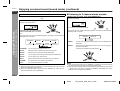
A 4:3 disc is played in 4:3.
A wide image (16:9) is displayed when
playing a wide image (16:9) disc.
! When playing a 4:3 image disc, the image size depends on the
setting of the connected TV.
! If you play back a wide image (16:9) disc with the unit connected
to a 4:3 TV, images appear stretched vertically.
Note:
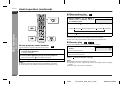
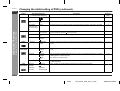
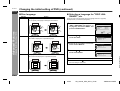
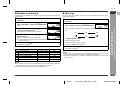
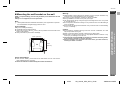
" Parental setting
Indicator
LEVEL 1
LEVEL 2 to 7
LEVEL 8
OFF
CODE
Setting
Only DVD software intended for children can be played back.
Only DVD software intended for general use and children can be
played back.
DVD software of any grade (adult/general/children) can be played
back.
Parental control is canceled.
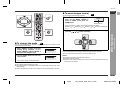
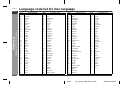
Country code for parental control
Country code list:
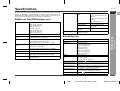
When playing the disc with a fixed video format, it will not change even if the TV
screen size is changed.
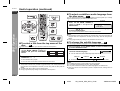
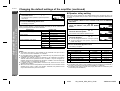
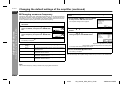
" Progressive scan playback
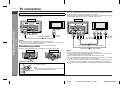
Connect the unit to a TV supporting progressive scan with a component video cable.
You can enjoy flicker-free images.
Setting
Description
ON (Progressive)*1
If the TV supports progressive scan, set to "ON".
You can enjoy flicker-free images.
OFF (Interlace)*2
If the TV does not support progressive scan, set to
"OFF". Images are displayed in the interlaced system.
E
F
USA
CANADA
JAPAN
GERMANY
FRANCE
UK
ITALY
SPAIN
SWISS
SWEDEN
HOLLAND
NORWAY
DENMARK
FINLAND
BELGIUM
HONG KONG
SINGAPORE
THAILAND
MALAYSIA
INDONESIA
TAIWAN
PHILIPPINE
AUSTRALIA
RUSSIA
CHINA
-
S
Advanced Features
Indicator
*1
- Changing the initial setting of DVD -
" Video format
V
I
N
P
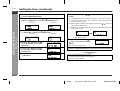
Notes:
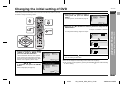
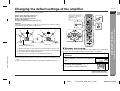
! For the parental setting, enter a 4-digit number (example: 1234), which will be your
password. Enter "1234" from the next time.
! While playing a disc with parental control, the display may appear requesting a
password in order to watch some restricted scenes. In such a case, enter the
password to temporarily change the control level.
E
E-44
04/2/4
SD_HX500_SEC_SECL_E4.fm
TINSKA015AWZZ