1
SD-HX500
! DVD/CD player
Reference
page
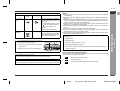
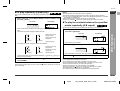
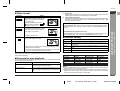
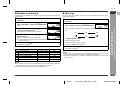
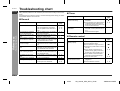
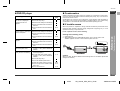
Even though a disc is loaded, " Is the disc loaded upside down?
"NO PLAY" is displayed.
" Is the disc very dirty?
Playback sounds are
" Does the disc satisfy the standards?
skipped.
" Is the unit located near excessive vibrations?
" Has condensation formed inside the
unit?
The control buttons do not
" Is the disc very dirty?
function. Music or video play- " Does the disc satisfy the standards?
back is interrupted.
" Is the unit located near excessive vibrations?
" Has condensation formed inside the
unit?
Pictures and sound are
skipped.
"
"
"
"
Is the disc very dirty?
Is the disc loaded upside down?
Clean the optical pickup if it is dirty.
Is the TV input set to "VIDEO 1/VIDEO 2" etc.?
" Is the unit turned on?
E
F
! If trouble occurs
P. 64
When this product is subjected to strong external interference (mechanical shock,
excessive static electricity, abnormal supply voltage due to lightning, etc.) or if it is
operated incorrectly, it may malfunction.
S
If such a problem occurs, do the following:
Clearing all the memory (reset)
P. 64
" Is the disc very dirty?
" Is the unit located near excessive vibrations?
" Has condensation formed inside the
unit?
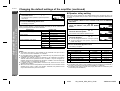
The system does not operate " Is a disc other than a DVD (region
even if the power is on.
number 1 or ALL) and an audio CD
loaded?
Image cannot be played
" Are the video and audio cables conback. (Sound is not heard.)
nected improperly?
" Is a disc other than a DVD (region
number 1 or ALL) and an audio CD
loaded?
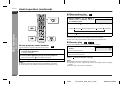
Sudden temperature changes, storage or operation in an extremely humid environment may cause condensation inside the cabinet (laser pickup, etc.) or on the transmitter on the remote control.
Condensation can cause the unit to malfunction. If this happens, leave the power on
with no disc in the unit until normal playback is possible (about 1 hour). Wipe off any
condensation on the transmitter with a soft cloth before operating the unit.
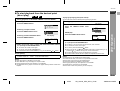
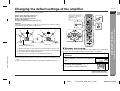
1
2
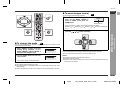
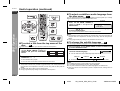
Unplug the unit.
While holding down the ON/STAND-BY button, plug in the AC power cord.
"RESET" appears for about 1 second and the power turns off.
P. 64
P. 9
P. 15, 59
P. 9
References
Possible cause
- Troubleshooting chart -
Symptom
ENGLISH
! Condensation
V
I
N
Caution:
When you reset, all data is deleted and the settings return to the default. (DVD initial
settings are retained.)
P
P. 62
P. 54
P. 16
E
E-64
04/2/4
SD_HX500_SEC_SECL_E6.fm
TINSKA015AWZZ