1
Administrator Functions
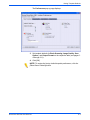
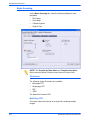
Scan Size
Select a default Scan Size for the scan input document. Scan Size
options include Auto Size Detect, 17 standard input sizes, and a
Custom size option.
Selecting Custom activates the X and Y spin boxes for manual size
entry. The following ranges are available for X and Y:
•
X – 1 to 17 inches
•
Y – 1 to 14 inches
The default setting is Auto Size Detect.
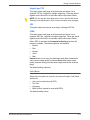
Reduce / Enlarge
Select a Reduce / Enlarge ratio default for all templates. Options are:
•
Preset
•
Variable
•
Auto %
The default setting is Preset, 100%.
Preset
Preset is the default setting. Preset options are 100% and 12 other
preset ratios.
The default setting is 100%.
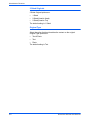
Variable
Variable enables manual entry of the Reduce / Enlarge ratio. The
available range is from 25% to 400%.
The default setting is 100%.
Auto %
Auto % fits the image to one of the standard preset output sizes.
The default setting is Photo 2L - 5 x 7”.
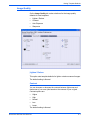
2 Sided Originals
Options are:
•
1 Sided
•
2 Sided (Head to Head) – Flips on the long edge, like a book
•
2 Sided (Head to Toe) – Flips on the short edge, like a calendar
The default setting is 1 Sided.
6-10
DocuColor 250 Scan Out Services