1
Instant Broadband® Series
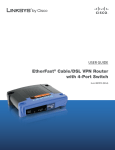
EtherFast® Cable/DSL VPN Router with 4-Port 10/100 Switch
Table of Contents
Chapter 1: Introduction
1
®
The EtherFast Cable/DSL VPN Router with 4-Port 10/100 Switch 1
Features
1
Chapter 2: Your Virtual Private Network (VPN)
Why Do I Need a VPN?
What is a Virtual Private Network?
2
2
3
Chapter 3: Getting to Know the EtherFast®
Cable/DSL VPN Router with 4-Port 10/100 Switch
The VPN Router’s Rear Panel
The VPN Router’s Front Panel LEDs
6
6
7
Chapter 4: Connecting the Cable/DSL VPN Router
to Your Network
9
Overview
9
About Static & Dynamic IP Addresses
9
Connecting Everything Together & Booting Up
10
Chapter 5: Configuring Your Network
12
Configuring Your PCs to Connect to the Cable/DSL VPN Router 12
Configuring the Cable/DSL VPN Router
14
Chapter 6: The Cable/DSL VPN Router’s
Web-based Utility
Logging into the Web-based Utility
Setup
VPN
Password
Status
DHCP
19
19
20
25
27
28
40
Log
Help
Filters
Forwarding
Dynamic Routing
Static Routing
DMZ Host
MAC Address Cloning
42
43
46
49
51
52
54
55
Appendix A: Troubleshooting
Common Problems and Solutions
Frequently Asked Questions
56
56
69
Appendix B: Maximizing VPN Security
74
Appendix C: Configuring IPSec between a
Windows 2000 or XP PC and a Linksys
Cable/DSL VPN Router
Introduction
Environment
Step One: Create an IPSec Policy
Step Two: Build Filter Lists
Step Three: Configure Individual Tunnel Rules
Step Four: Assign New IPSec Policy
Step Five: Create a Tunnel Through the Web-Based Utility
76
76
76
77
78
83
91
92