1
Instant Broadband® Series
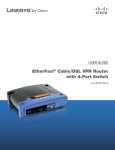
EtherFast® Cable/DSL VPN Router with 4-Port 10/100 Switch
PPPoE
RAS
Some
DSL-based
ISPs use PPPoE
(Point-to-Point
Protocol
over
Ethernet) to establish
communications
with an end-user. If
you are connected to
the Internet through
a DSL line, check
with your ISP to see
if they use PPPoE. If
they do, you will
have to enable it, as
shown in Figure 6-5.
Remote
Access
Service (RAS) is a
service that applies
for connections in
Singapore
only.
(This setup is shown
in Figure 6-6.) For
users in Singapore,
check with Singtel
for information on
RAS.
Figure 6-5
Figure 6-6
User Name and Password Enter your ISP’s User Name and Password.
Connect on Demand and Max Idle Time You can configure the Router to cut
your connection with your ISP after a specified period of time (Max Idle
Time). If you have been disconnected due to inactivity, Connect on Demand
enables the Router to automatically re-establish your connection as soon as you
attempt to access the Internet again. If you wish to activate Connect on
Demand, click the radio button. If you want your Internet connection to remain
on at all times, enter 0 in the Max Idle Time field. Otherwise, enter the number of minutes you want to have elapsed before your Internet access disconnects.
Keep Alive Option and Redial Period This option keeps your PPPoE-enabled
Internet access connected indefinitely, even when it sits idle. To use this
option, click the radio button next to Keep Alive to select it. The default Redial
Period is 30 seconds.
Important: For DSL users, if you need to enable PPPoE support,
choose PPPoE. If you do enable PPPoE, remember to remove any
existing PPPoE applications already installed on any of your PCs.
22
User Name and Password Enter the User Name and Password supplied by
Singtel.
RAS Plan Select the type of plan you have.
Connect on Demand and Max Idle Time You can configure the Router to cut
your connection with your ISP after a specified period of time (Max Idle
Time). If you have been disconnected due to inactivity, Connect on Demand
enables the Router to automatically re-establish your connection as soon as you
attempt to access the Internet again. If you wish to activate Connect on
Demand, click the radio button. If you want your Internet connection to remain
on at all times, enter 0 in the Max Idle Time field. Otherwise, enter the number of minutes you want to have elapsed before your Internet access disconnects.
Keep Alive Option and Redial Period This option keeps your PPPoE-enabled
Internet access connected indefinitely, even when it sits idle. To use this
option, click the radio button next to Keep Alive to select it. The default Redial
Period is 30 seconds.
23