1
assert.c
blocks.s
input.c
maze.c
mazegame.c
modex.c
text.c
Support for assertions and cleanups as design and debugging aids.
Graphic block images of the maze, the player, fruits, etc.
Input control. Provides for initialization and shutdown of the input controller. The version provided
to you supports keyboard control. You must write the support for the Tux controller. This file is not
compiled with the rest of the game and should be used only to test your inputs separately from the
game. Can be compiled stand-alone to test the input device.
Maze generation and logic. Creates the maze; creates, checks for, and consumes fruit; checks for
win conditions. Transforms the block image data in blocks.s into pixelized graphic images of
maze lines and columns for use by modex.c in drawing parts of the logical view. Can be compiled
stand-alone to test maze generation.
Multithreaded main process of the mazegame. There is a thread that controls the game logic, including the main event loop, level set up, all timing logic, display control logic (motion and scrolling).
Includes a computer-controlled player as well as one using the regular input control. Another thread
is created to handle keyboard control. You will eventually need to add another thread for the Tux
Controller control.
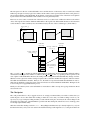
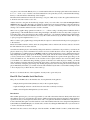
Functions to support use of VGA mode X. Includes things like switching from text mode to mode
X and back, and clearing the screens. Provides a logical view window abstraction that is drawn in
normal memory and copied into video memory using a double-buffering strategy. When the logical
view is shifted, data still on the screen are retained, thus only those portions of the logical view that
were not previously visible must be drawn. Finally, supports mapping from pixelized graphics in
formats convenient to C into drawing a screen at a certain logical position. Relies on maze.c to
provide vertical and horizontal lines from the maze. Is also compiled stand-alone to create the tr
text mode restoration program.
Text font data and conversion from ASCII strings to pixelized graphic images of text (you must write
the latter).
We have also included two stripped binaries to illustrate your end goal. The mazegame-demo program is a fully
working version of the game that allows both keyboard and Tux controller input. The input-demo program is a
stand-alone compilation of input.c, again allowing both forms of input.
The tr Program
The make file provided to you builds both the game and a text-mode-restoration program called tr. The latter program
is provided to help you with debugging. One difficulty involved with debugging code that makes use of the video
hardware is that the display may be left in an unusable (i.e., non-text-mode) state when the program crashes, hangs, or
hits a breakpoint. In order to force the display back into text mode for debugging purposes (or, if you are not running
the program in a debugger, to regain control of your shell), you can run the tr program. Unless you are fairly confident
in your ability to type without visual feedback, we recommend that you keep a second virtual console (CTRL-ALT-F1
through F6) logged in with the command to execute the text restoration program pre-typed, allowing you to simply
switch into that console and press Enter. Using this program is substantially easier than rebooting your machine to put
it back into text mode.
You should also look at the cleanup handlers provided by the assert module (assert.h and assert.c). These
cleanup handlers provide support for fatal exceptions, putting the machine back into a usable state when your program
crashes. However, there may be instances and problems not covered by the handlers, and GDB can stop the program
before the handlers are invoked, leaving the machine in an unusable state until you restore text mode with tr.
Mode X and Graphic Images
Mode X is a 256-color graphics mode with 320x200 resolution. It was not supported by the standard graphics routines
that came with the original VGAs, but was supported by the VGA hardware itself, and was quickly adopted as the standard for video games at the time because of certain technical advantages over the documented 256-color mode (mode
13h, where the ‘h’ stands for hexadecimal). In particular, mode X supports multiple video pages, allowing a program
to switch the display between two screens, drawing only to the screen not currently displayed, and thereby avoiding the
annoying flicker effects associated with showing a partially-drawn image. This technique is called double-buffering.