1
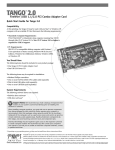
Installing The DFB-A5 Combo PCI
Adapter Into Your Computer
Make sure that your computer is turned OFF
before you install the DFB-A5.
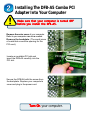
Remove the outer cover of your computer.
Refer to your computer manual as needed.
Remove the backplate. (The small piece
of metal that covers the opening for the
PCI card).
Locate an available PCI slot and
insert the DFB-A5 carefully into the
PCI slot.
PCI Slot
Secure the DFB-A5 with the screw from
the backplate. Replace your computer's
cover and plug in the power cord.
Turn On your computer.