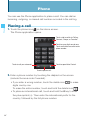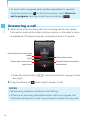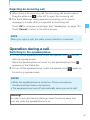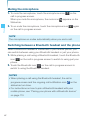
1
NOTES
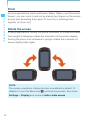
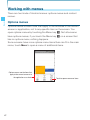
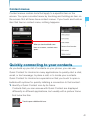
• Repeat the same operation in Silent mode to exit Silent mode.
• The audio from music, videos, and other media and any alarms
you have set still sound in Silent mode. You must silence media
Basics
and alarms in their own applications.
Placing your phone in Airplane mode
Some locations may require you to turn off your phone’s mobile, Wi-Fi,
and Bluetooth wireless connections. You can turn off all these wireless
connections at once by placing your phone in Airplane mode.
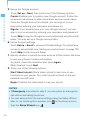
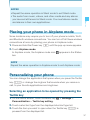
1. Press and hold the Power key P until the pop-up menu appears.
2. Touch Airplane mode.
In Airplane mode, the Airplane mode icon
appears in the Status
bar.
NOTE
Repeat the same operation in Airplane mode to exit Airplane mode.
Personalizing your phone
You can change the application that opens when you press the Tactile
key , or change the ringtone that sounds when you receive a
call, to your favorite applications and ringtones.
Selecting an application to be opened by pressing the
Tactile key
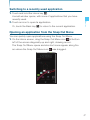
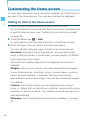
1. On the Home screen, touch the Menu key M > Settings >
Personalization > Tactile key setting.
2. Touch a shortcut type from the displayed shortcut type list.
3. Touch the item you want to open when the Tactile key , is
pressed from the displayed list.
51