1
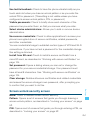
Use tactile feedback: Check to have the phone vibrate briefly as you
touch each dot when you draw an unlock pattern or as you enter the
unlock PIN or password. (This setting is not visible unless you have
configured a screen unlock pattern, PIN, or password.)
Visible passwords: Check to briefly show each character of the
password as you enter them, so that you can see what you enter.
Select device administrators: Allows you to add or remove device
administrators.
Use secure credentials: Check to allow applications to access your
phone’s encrypted store of secure certificates, related passwords,
and other credentials.
You use credential storage to establish certain types of VPN and Wi-Fi
connections. If you have not set a password for the credential storage,
this setting is dimmed.
Install from SD card: Touch to install a secure certificate from a
microSD card, as described in “Working with secure certificates” on
page 104.
Set password: Opens a dialog where you can set or change the
password for your secure credential storage. Your password must
have at least 8 characters. See “Working with secure certificates” on
page 104.
Clear storage: Deletes all secure certificates and related credentials
and erases the secure storage’s own password, after prompting you
to confirm that you want to do this.
None: Touch to disable screen unlock security.
Settings
Screen unlock security screen
Pattern: Opens a set of screens that guide you through drawing a
screen unlock pattern, as described in “Locking your screen” on page
52.
PIN: Opens a set of screens that guide you through entering a PIN, as
described in “Locking your screen” on page 52.
263