1
GORAMO – Janusz Górecki
MultiLink Router and MikroRouter
page 32 from 41
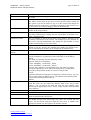
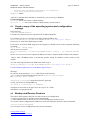
Typed scripts can be performed on one of three ways:
• On – PowerUp
• Pre – Configuration
• Post – Configuration, in this case the script complements the functionality of the GUI that is
not supported
After entering the script, press the Save changes to make changes to the router's RAM that has
been done to further press the Apply changes. In addition, the changes are saved after the power is
turned off, press the Write to Flash.
4.23 Software Update GUI
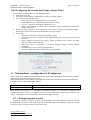
Please download from www.goramo.com.pl current version of the graphical user interface. Put it
on your computer to a directory whose full name does not include Polish characters and is not longer
than 60 characters. Recommended is the main directory of a hard drive of your computer.
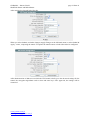
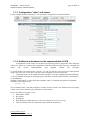
After recording the file, go to Software Update tab and using the Browse button, indicate the
previously downloaded version of the graphical user interface. Then click Software Update. After
loading the software into router RAM, a message indicates that the software was downloaded and
asked to confirm your intention to update the software.
" Successfully uploaded release-file, continue update?"
Should be confirmed by selecting the button:
" Yes, install New release ".
The new software version will be recorded on the device. Now we can do nothing else but to see if it
works - and if it works correctly - write to Flash memory by selecting: Write to Flash.
5 Manual MicroRouter text menu over the console (only
for MicroRouter)
To fully exploit all the advantages and MicroRouter opportunities need to know Linux system.
Starting in front of users, however, not know this system has been preset frequently used functions
available via the console and the text menu:
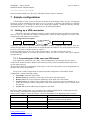
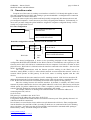
1. Setting MicroRouter to work in bridge mode (hide the IP address)2:
Eth: on both Modems, Converters E1etc. set mode "Bridge Ethernet (eth0) and over hdlc0 hdlc1"
2. Go to the router mode - that is, IP address and unlock the ability to configure the Web browser.
3. Go to the Linux system console mode - allowing the use of additional operating system functions
not implemented in the version of the web browser configuration.
4. Log out
After connecting the console to a socket system asks the user for username and password (if the
connection was held at the operating system, press Ctrl + D):
multilink login: root
Password: goramo1234
Message displayed when you boot the console port:
Welcome to Text User Interface (TextUI) of MultiLink-MR Router (MicroRouter).
Chose option:
1.
2.
3.
4.
2
Set to and configure Bridge Operation Mode;
Set to Router Operation Mode;
Go to console;
Logout.
It is point for two this same devices eg. Modems, Converters E1 installed on the link
www.goramo.com.pl
[email protected]