1
GORAMO – Janusz Górecki
MultiLink Router and MikroRouter
page 17 from 41
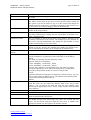
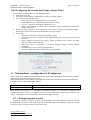
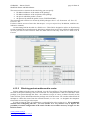
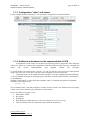
4.6.5 Configuring the Access Point (Type: Access Point)
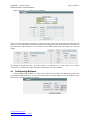
If you want to configure the access point for the router:
• enter the devices tab
• select the network adapter configurations: wlan0, by clicking "More"
• in the network card configuration:
o option Type in the configuration set to Access Point
o in the SSID field, type the desired wireless network name
o if we set / change the modulation (default 801.11g)
o choose a free channel on which will be running the wireless network and change the
channel parameter.
• Select the option "Submit" to save settings for your wireless card (not on "Submit & Apply",
because this option would run the network before security settings)
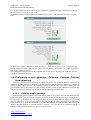
• Set security:
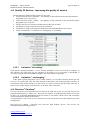
o click on the "Wireless LAN Security Settings" option
o choose the parameter Encryption WPA-PSK (default None, None setting switch off
security)
o choose method of security (two types of WPA and WPA2 one), choose the safest
option is WPA2 (WPA2 Mixed))
o choose the form of a password, or at least 8 character string, or 64-bit number
hexagonal
o write down the root password (Pre-Shared Key)
o select the "Submit & Apply" which will cause the settings.
4.7
Tab interfaces - configuration of IP addresses
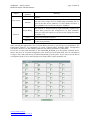
After setting up the equipment and modems, they are represented by the network interfaces. Available
interfaces are presented on the Interfaces tab.
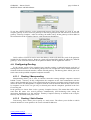
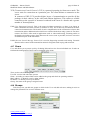
After clicking on the option "More" on the right side of the line representing the network interface we
are interested, go to the configuration details.
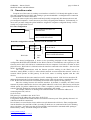
Enable Interface
Configuration Type
if the interface is to be run
to choose: Network or Point to point
Each interface can operate as an interface to multiple computers on a network, or interface that
combines elements of only two computers. Of course, with each interface between two computers can
also be configured as a network interface (Configuration type: network).
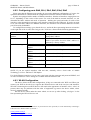
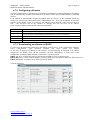
4.7.1 Configuring point to point
Setting up a network of point to point is less interesting. Set in its IP address on the router (Local
IP) address of the computer and on the other side of the link (remote IP). Setting the mask is not used
in practice. Best to leave the value of 255.255.255.252
www.goramo.com.pl
[email protected]