1
Appendix C. Basic GFS Examples
153
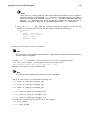
note
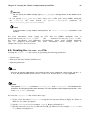
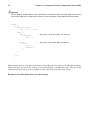
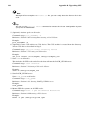
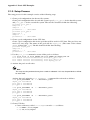
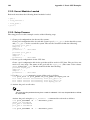
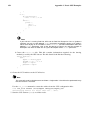
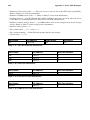
This step must be performed each time the cluster is rebooted.
The CCA device must be specified when starting ccsd.
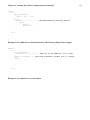
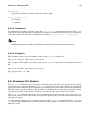
n01# ccsd -d /dev/pool/alpha_cca
n02# ccsd -d /dev/pool/alpha_cca
n03# ccsd -d /dev/pool/alpha_cca
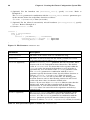
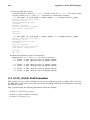
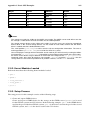
8. Start the LOCK_GULM server on each node. For example:
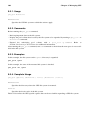
n01# lock_gulmd
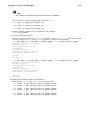
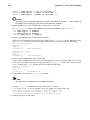
9. Create the GFS file systems.
Create the first file system on pool_gfs01 and the second on pool_gfs02. The names of the
two file systems are gfs01 and gfs02, respectively, as shown in the example:
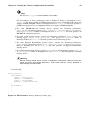
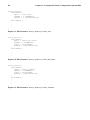
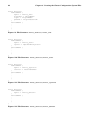
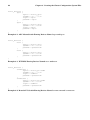
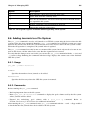
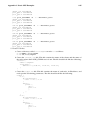
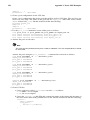
n01# gfs_mkfs -p lock_gulm -t alpha:gfs01 -j 3 /dev/pool/pool_gfs01
Device: /dev/pool/pool_gfs01
Blocksize: 4096
Filesystem Size:1963216
Journals: 3
Resource Groups:30
Locking Protocol:lock_gulm
Lock Table: alpha:gfs01
Syncing...
All Done
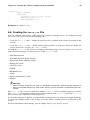
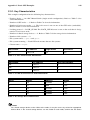
n01# gfs_mkfs -p lock_gulm -t alpha:gfs02 -j 3 /dev/pool/pool_gfs02
Device: /dev/pool/pool_gfs02
Blocksize: 4096
Filesystem Size:1963416
Journals: 3
Resource Groups:30
Locking Protocol:lock_gulm
Lock Table: alpha:gfs02
Syncing...
All Done
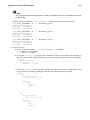
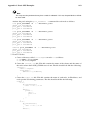
10. Mount the GFS file systems on all the nodes.
Mount points /gfs01 and /gfs02 are used on each node:
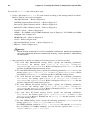
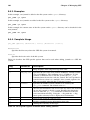
n01# mount -t gfs /dev/pool/pool_gfs01 /gfs01
n01# mount -t gfs /dev/pool/pool_gfs02 /gfs02
n02# mount -t gfs /dev/pool/pool_gfs01 /gfs01
n02# mount -t gfs /dev/pool/pool_gfs02 /gfs02
n03# mount -t gfs /dev/pool/pool_gfs01 /gfs01
n03# mount -t gfs /dev/pool/pool_gfs02 /gfs02