1
20
MP3 02:35/04:58
Ever yt hing
Ever
ything
MUSIC
001/024
001/024
03:56
05
19
21
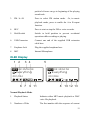
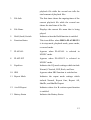
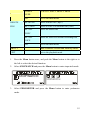
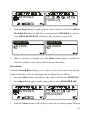
Operation Menu
20. Operation Menu
These icons shift when MEGA PLAYER 521
is in different Operation mode which includes
MUSIC,
VOICE,
SETTINGS,
DELETE
FILE, ABOUT, EXIT.
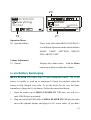
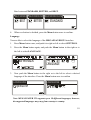
Volume Adjustment
21. Volume
Displays the volume status.
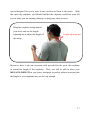
Push the Menu
button up or down to adjust the volume.
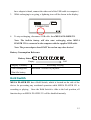
Li-ion Battery Recharging
MEGA PLAYER 521 comes with a Li-ion rechargeable battery. The Li-ion
battery is capable to work up to maximum 18 hours for playback when the
battery is fully charged every time. To use the device for the very first time,
remember to charge the Li-ion battery. Follow the instructions below:
1.
Open the rubber cap of MEGA PLAYER 521 USB port, you will see a
mini USB (B-type) port inside.
2.
Plug one end of the USB cable to MEGA PLAYER 521 USB port, the other
end to the optional adapter, and plug it to AC power outlet. (If you don’t
14