1
Introduction
In a drawing, geometry can be difficult to interpret if it is not given a
context, especially when you receive a drawing from someone else. To
check object characteristics, you can perform an inquiry on a drawing
object. An inquiry shows you information about the selected object on
the command line, the status bar, or in a tracking window.
If you want a more permanent solution for identifying drawing
objects—especially when you are ready to plot the drawing—you can
label the drawing objects at any time during the drawing process.
AutoCAD Land Development Desktop can create dynamic labels
which update whenever you edit the drawing objects. However, if you
do not want labels to update automatically, then you can create static
labels.
If you want to annotate your drawing manually, then you can create
TEXT, MTEXT (multi-line text), or CTEXT (text on a curve). TEXT and
MTEXT do not move or update when your drawing changes. However,
if you edit a curve, the CTEXT moves with it. For more information
about creating text, see “Working with Text” in Chapter 4, “Working
with Drawing and Editing Tools.”
Listing Object Data
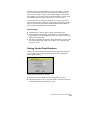
To quickly view data about objects, use the Inquiry commands.
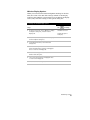
AutoCAD Land Development Desktop has two types of inquiry
commands:
■
■
CAD-based
AutoCAD Land Development Desktop-specific
CAD-Based Inquiry Commands
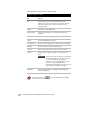
These commands include the following commonly used commands
that you can select from the Tools ➤ Inquiry menu:
Chapter 7 Listing and Annotating Plans
228