1
IPmux-8/16 User’s Manual
Chapter 3 Configuration Management
Configuring System Parameters
To set system parameters for the selected IPmux device:
1. Configuration > System Parameters...
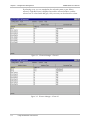
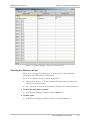
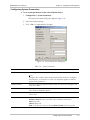
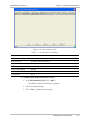
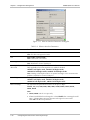
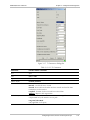
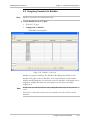
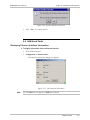
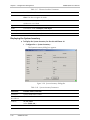
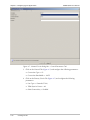
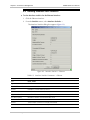
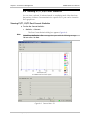
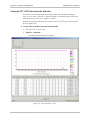
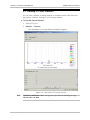
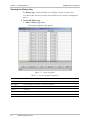
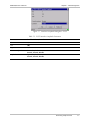
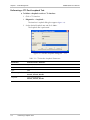
The System Parameters dialog box appears (Figure 3-4).
2. Enter the required settings.
3. Click <Set> to implement the changes.
Figure 3-4. System Parameters Dialog Box
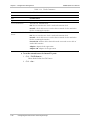
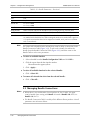
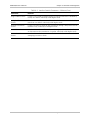
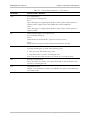
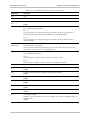
Table 3-4. System Parameters
Parameter
Possible Values / Remarks
ToS Value
IP ToS (Type of Service) assigned to this channel
0–255
Configures IP ToS field in the IP frames transmitted by the device. Configures
the entire byte - not only the 3 ToS bits. ToS assignment applies to all TDM
packets leaving IPmux-16.
Default Gateway
Gateway to which management frames will be sent (when the managers is not
in the host subnet)
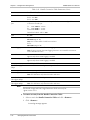
LAN Redundancy
These parameters exist for versions > 3.0. Parameters are disabled when two
E3/T3 cards are installed in Ipmux.
Active Interface
LAN1=1025
LAN2=1057
Enforcement State
Enables user to enforce a Link in spite of the redundancy mechanism
No Enforcement: Returns usual rules of the redundancy mechanism
LAN1: Main Link
LAN2: Backup Link
Note: Set Enforcement State by clicking [Enforced LAN] and selecting value.
Configuring General Parameters
3-7