1
2.
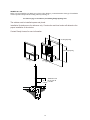
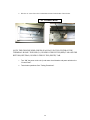
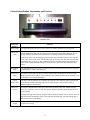
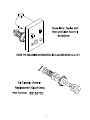
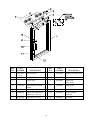
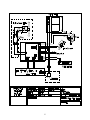
Wire the AC source line to the Terminal Block located in the header of the window.
AC Terminal Block
NOTE: THE GROUND WIRE (GREEN) IS ALWAYS IN THE CENTER OF THE
TERMINAL BLOCK. THE LINE (L1) IS INDICATED BY THE (RED) TAB AND THE
RETURN (NEUTRAL) IS INDICATED BY THE (WHITE) TAB.
3.
Turn “ON” the power to the unit. (Load center circuit breaker and power switch on the
“Control Panel”.
4.
Test window operations. See “Testing Procedures”.
20