1
PC*MILER-AS/400 MVS User’s Guide
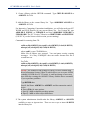
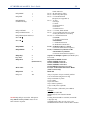
Step 4.3: Edit \AlkMvs\Pcmmv.ini or \AlkToll\pcmmv.ini to
point to the various instances of PC*MILER|TCP/IP.
If you are going to run each instance of PC*MILER|TCP/IP on a single PC and
you don’t want to adjust the port numbers, you can skip this step.
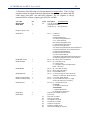
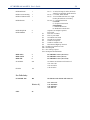
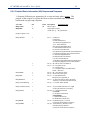
Pcmmv.ini is used to locate the various instances of PC*MILER|TCP/IP
(pcmsockXX.exe). By default Pcmmv.ini is pointing to local copies via the loop
back address. If you are using multiple PCs you will have to change the loop back
(127.0.0.1) to the IP address or the computer name of the remote PC. If you are
having trouble connecting on a computer name, you will have to map that
computer’s name to its IP address in C:\windows(winnt)\system32\
drivers\etc\hosts.
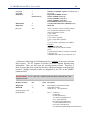
If your system has a conflict with the default port number, you will have to
change the port number in pcmmv.ini and in the batch file that is used to start up
PC*MILER|TCP/IP (see Step 4.4). Port conflicts are marked by ‘Bind Failed’
errors upon launching an instance of pcmsock.exe.
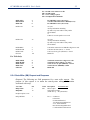
There are no strict requirements for Port assignments. The only requirement is
that you keep agreement between Pcmmv.ini and the Startup batch file that
launches the instances of pcmsockXX.exe.
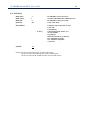
The convention for Port Number Assignment is for PC*MILER and
PC*MILER|Streets versions to use the 8000 range with the last three digits being
the version number. For example: for V21.x the default port is 8210 and 8211 is
the default port for V21.1.
If you are installing the same version of both ALK FleetSuite|Tolls and
PC*MILER, use the 9000 range for the Tolls installs.
NOTE: Use of easy-to-remember conventions makes troubleshooting and
maintaining installations easier.
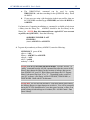
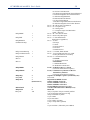
Step 4.4: Configure StartMvs.bat
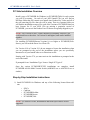
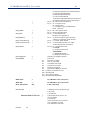
The various instances of PC*MILER|TCP/IP need to be started before starting the
PC*MILER-AS/400 Multi-Version Switch executable. The best way to do this is
via a batch file. A working copy of one is installed in C:\AlkMvs or C:\Alktoll
called “StartMvs.bat”.
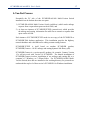
StartMvs.bat is set up for running all versions of PC*MILER on the same PC. If
you do not have a particular version, you will have to remove it from
StartMvs.bat.
25