1
Track Logs
46
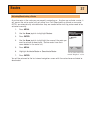
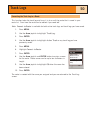
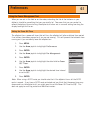
Starting a New Active Track Log
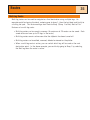
Before you can start a new active track log, you need to stop the one that is presently
recording.
1.
Press MENU.
2.
Use the Arrow joystick to highlight Track Log.
3.
Press ENTER.
4.
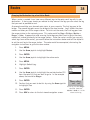
Use the Arrow joystick to highlight Active Track.
5.
Press MENU.
6.
Highlight Stop Logging. (If Resume Logging is displayed,
the Track Log has already been stopped. Go to step 10.)
7.
Press ENTER.
8.
Use the Arrow joystick to highlight Active Track.
9.
Press MENU.
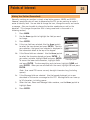
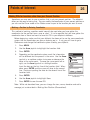
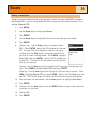
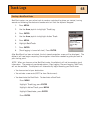
10. Highlight New Track.
11. Press ENTER.
Track Log
Active Track
Apr-24
Apr-28
Legs
3
Distance
525 F T
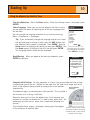
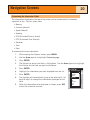
Active route menu with
New Track highlighted.