1
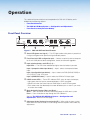
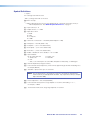
d Input 3 — Connect an HDMI source to this HDMI connector.
Audio from the HDMI input can be de-embeded from the HDMI source. This allows
the user to choose to select audio either from the HDMI input or the analog audio 3.5
mm TRS inputs. The default selection is 2-channel digital audio from the HDMI input.
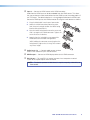
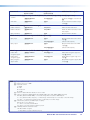
Secure the HDMI input to the HDMI connector c using the LockIt bracket as follows:
1. Plug the HDMI cable into the panel connection.
2. Loosen the HDMI connection mounting screw
from the panel enough to allow the LockIt lacing
bracket to be placed over it.
3. Place the LockIt lacing bracket onto the screw and
slide it up against the HDMI connector. Tighten the
screw to secure the bracket.
2
1
3
UT
TP
OU
4. Loosely place the included tie wrap around the
HDMI connector and LockIt lacing bracket.
While holding the connector securely against the
lacing bracket, tighten the tie wrap, then remove
any excess length.
3
4
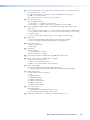
e Audio inputs 1-3
— Connect audio sources to these
three 3.5 mm stereo mini jack TRS connectors.
f HDMI output — Connect an HDMI display device to this HDMI connector.
g RS-232 port — For serial RS-232 control, connect a host computer or control
system to the 3-pole captive screw connector.
NOTE: The default protocol is 9600 baud, 1 stop bit, no parity, 8 data bits, no
flow control.
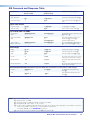
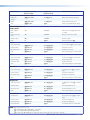
DSC 301 HD• Rear Panel Connections
6